

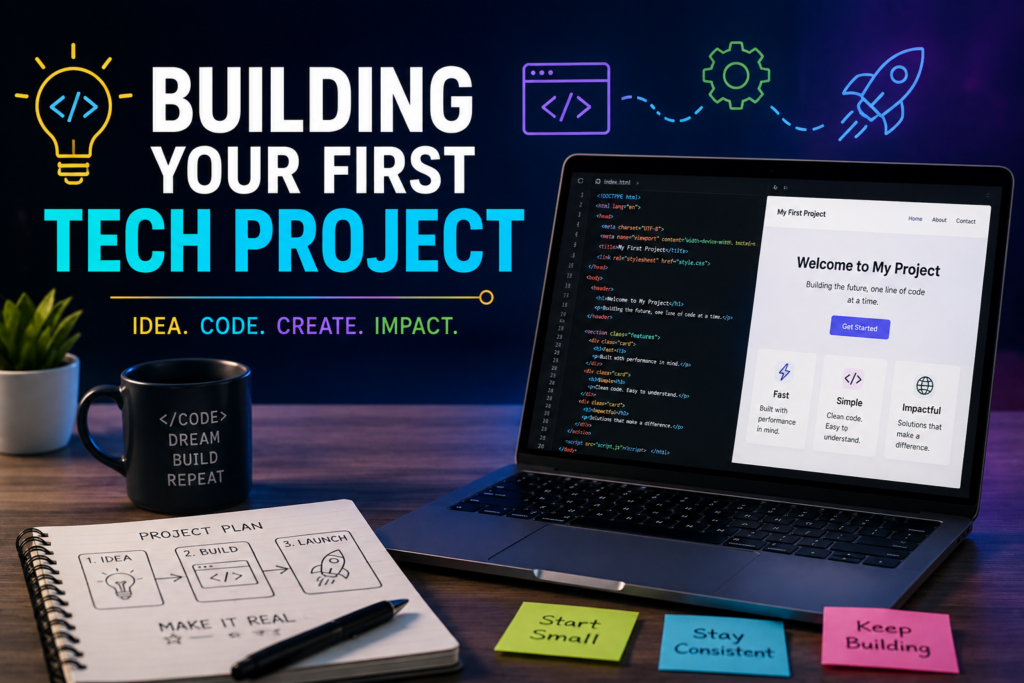
How to Build Your First Tech Project as a Student: A Step-by-Step Guide to Turning Ideas into Reality
Imagine walking into your first job interview for a tech role. The interviewer smiles and asks, “can you show me something you have built?”
You freeze.
You have completed online courses, watched countless YouTube tutorials, and earned a few certificates. You know the theory, but when it comes to proving your skills, you have nothing to show.
Now imagine a different scenero.
Instead of saying, “I do not have any projects yet,” you open your laptop and proudly present a personal website, a budgeting app, or a simple weather application you built yourself. It may not be perfect, but it demonstrates something far more valuable than a certificate—it proves that you can apply what you have learned.
This is why your first tech project matters.
In today’s competitive tech industry, employers and clients are increasingly interested in what you can build, not just what you know. A well-executed beginner project shows initiative, problem solving and creativity skills. It also gives you confidence, strengthen your understanding of technology, and becomes the foundation of professional portfolio.
The great news? You do not need years to experience or advance programming skills to create your first project. Every experienced developer, designer, cybersecurity analyst, or data scientist once started with a simple idea and the zeal to learn.
If you are ready to stop consuming tutorials and start creating, this guide will walk you through every step of building your first tech project.
What is a Tech Project?
A tech project is any digital product or solution you create using technology to solve a problem or perform a task. It does not have to be complex or revolutionary.
Your first project could be:
- A personal portfolio website
- A calculator
- A to-do list app
- A weather application
- A student timetable planner
- A simple quiz game
- A budgeting tracker
- A note-taking app
The goal is not to impress the world—it is to learn by doing.
Why Every Student Should Build a Tech Project
Many students spend months learning through tutorials but never put their knowledge into practice. This often leads to what’s known as “tutorials paralysis,” where you understand concepts but struggle to build something independently.
Creating a tech project helps you:
- Apply what you have learned
- Improve your problem-solving skills
- Build confidence
- Develop creativity
- Create a portfolio
- Prepare for internships and job interviews
- Stand out from other students
Simply put, projects transform knowledge into experience.
Step 1: Choose a Simple Project
One of the biggest mistakes beginners make is trying to build the next Facebook or Whatsapp.
Do not.
Start with something small and manageable.
Ask yourself:
- What problem can I solve?
- What would make my daily life easier?
- What project matches my current skill level?
Remember, a completed small project is far better than an unfinished ambitious one.
Step 2: Pick the Right Technology
Choose tools based on your interests and career goals.
Interested in Web Development
Learn:
- HTML
- CSS
- JavaScript
Interested in Mobile Apps
Try:
- Flutter
- React Native
Interested in Data Analysis
Learn:
- Python
- Excel
- SQL
Interested in Cybersecurity
Practice:
- Linux basics
- Networking
- Security tools
Do not try to learn everything at once. Focus on one path and master the basics before moving on.
Step 3: Plan Before You Build
Jumping straight into coding without a plan often leads to confusion.
Instead, write down:
What Problem will your project solve?
Example:
“A student needs a simple app to organize assignments.”
Who is it for?
Students.
What features should it have?
- Add tasks
- Delete tasks
- Mark tasks as completed
- Set deadlines
Breaking your project into smaller tasks makes it much easier to build.
Step 4: Start Building
This is where many students hesitate.
They wait until they feel “ready.”
The truth is, you will probably never feel completely ready.
Start anyway.
Your first version does not need to be perfect.
Expect mistakes.
Expect bugs.
Expect frustration.
That is part of learning.
Every error teaches you something new.
Step 5: Learn How to Solve Problems
One of the most valuable skills in technology is not coding.
It is problem-solving.
Whenever you encounter an error:
- Read the error message carefully.
- Search for solutions.
- Read documentation.
- Experiment with different approaches.
- Learn from your mistakes.
Professional developers spend a significant portion of their time solving problems—not writing perfect code.
Step 6: Test Your Project
Before sharing your project, test everything.
Ask yourself:
- Does every button work?
- Are there spelling mistakes?
- Does it work on different devices?
- Is the design easy to understand?
You can also ask friends or classmates to try your project and give honest feedback.
Fresh eyes often spot issues you have missed.
Step 7: Improve Your Design
Your project does not have to be beautiful, but it should be easy to use.
Keep your design:
- Simple
- Clean
- Organized
- Mobile-friendly
- Consistent
Good design improves the user experience and makes your project more enjoyable.
Step 8: Publish Your Project
Do not let your project remain hidden on your computer.
Share it
Upload it to GitHub.
Create a personal portfolio website.
Publish your web app.
Share screenshots on LinkedIn.
Every published project becomes proof of your skills.
Common Missteps Students Make
Avoid these common beginner mistakes.
Waiting Until You Know Everything
Technology changes constantly.
You will always have more to learn.
Start now
Choosing a Project That is Too Difficult
Building a banking app as your first project will likely lead to frustration.
Start simple.
Build confidence.
The move on to bigger challenges.
Copying Without Understanding
It is okay to learn from tutorials.
But do not simply copy code.
Understand what each line does.
Experiment.
Modify it.
Break it
Fix it.
That is where real learning happens.
Giving Up Too Soon
Every developer gets stuck.
Persistence is what separates successful learners from those who quit.
Beginner-Friendly Project Ideas
If you re unsure where to start, here are a few ideas.
- Personal Portfolio Website
- Student Assignment Tracker
- Daily To-Do List
- Digital Calculator
- Weather App
- Expense Tracker
- Password Generator
- Notes App
- Online Resume
- Countdown Timer
- Unit Converter
- Library Management System
- Attendance Tracker
Each project teaches valuable skills while remaining achievable for beginners.
Tips for Building Better Projects
- Solve a real problem.
- Keep your first project small.
- Write clean and organized code.
- Learn one technology at a time.
- Ask for feedback.
- Keep improving
- Never stop learning.
Remember, every project—even a simple one—teaches lessons that no textbook can.
Why Your First Project Matters More Than You Think
Your first project is more than an assignment.
It is proof that you can transform knowledge into action.
It demonstrates curiosity, persistence, and a willingness to learn.
When employers review portfolios, they do not expect beginners to build the next billion-dollar application. They want to see evidence that you can think critically, solve problems, and finish what you start.
Even if your project is not perfect, completing it is an achievement worth celebrating.
Conclusion: Build Something Today
The hardest part of any tech journey is not choosing the right programming language or finding the perfect course, it is taking the first step.
Your first tech project will not be flawless, and that is perfectly okay. What matters is that you start, learn from your mistakes, and keep improving. Every feature you build, every bug you fix, and every challenge you overcome brings you closer to becoming a confident tech professional.
So, stop waiting for the “perfect time” or the “perfect idea.” Pick a simple project, use the skills you already have, and begin building today. Years from now, you will look back at the first project—not because it was your best work, but because it was the one that started your journey into the world of technology.