
What Actually Happens Inside Your Phone When You Tap a Button
Smartphones have become an essential part of our daily lives. From making calls and sending messages to browsing the internet, taking photos, watching videos, and even running businesses, these devices have changed the way we live and communicate.
But have you ever stopped to wonder how a smartphone actually works?
Most people use smartphones every day without understanding what happens behind the screen when they tap an app, make a call, or connect to the internet. The truth is that a smartphone is like a small computer that fits in your pocket. It combines powerful hardware, intelligent software, and wireless communication technologies to perform thousands of tasks within seconds.
In this article, we will explain how smartphones work in simple terms. Whether you are a student, tech enthusiast, or simply curious, this guide will help you understand the technology behind the device you use every day.
What Is a Smartphone?
A smartphone is a mobile device that can do more than just make calls and send text messages. it connects to the internet combines the features of a traditional phone with the capabilities of a computer and allows you to use Apps for things like Social Media, taking pictures, watching Videos, Playing games, sending emails, and browsing websites.
Unlike older mobile phones that were mainly used for calling and texting, smartphones can:
- Access the internet
- Run applications (apps)
- Take photos and videos
- Store files
- Play games
- Use GPS navigation
- Connect to other devices
Popular smartphone operating systems include Android and iOS.
The Main Parts of a Smartphone
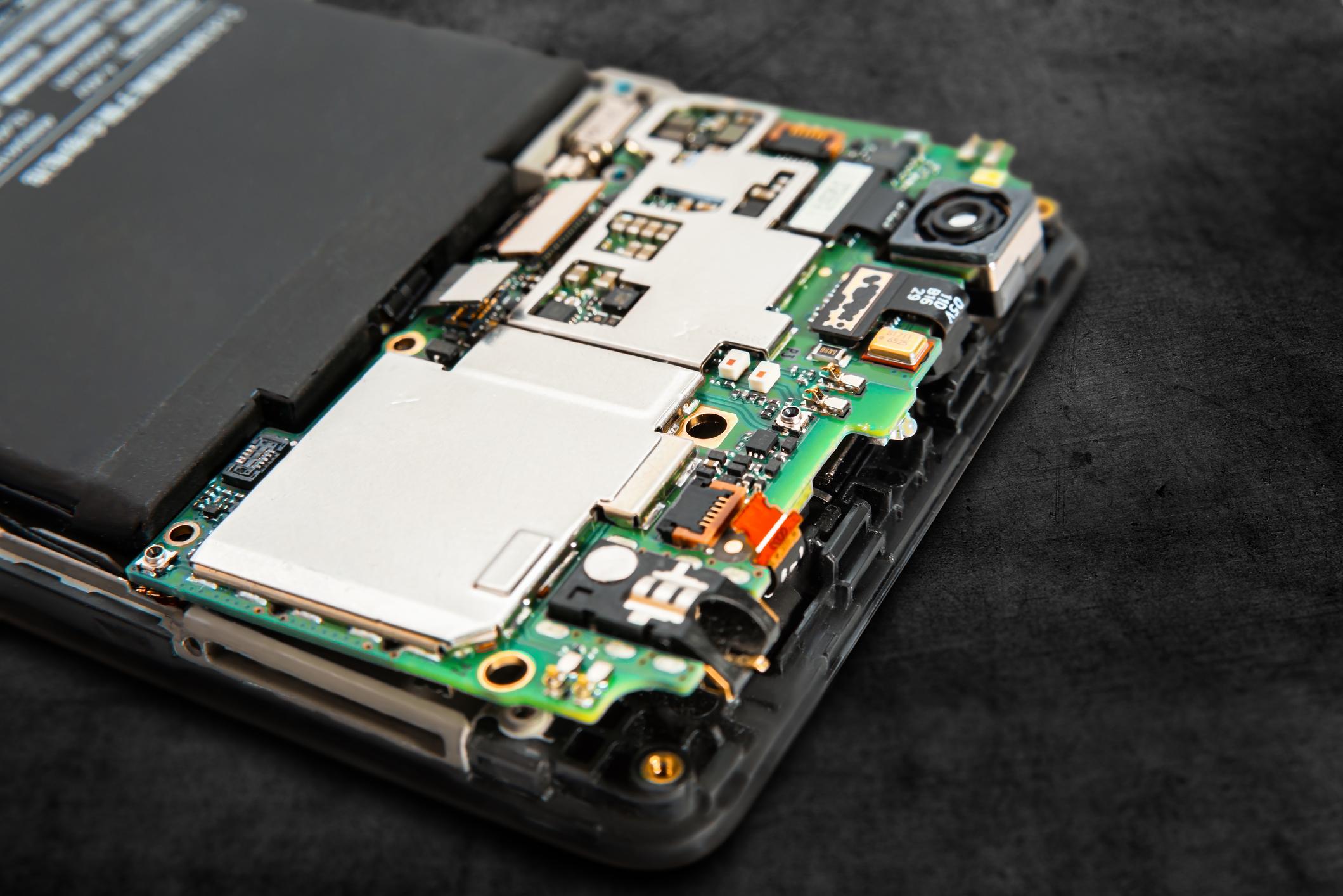
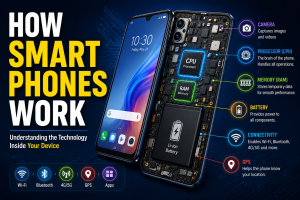
To understand how a smartphone works, you first need to know its major components.
1. Processor (The Brain)
The processor, also called the CPU (Central Processing Unit), is the brain of the smartphone.
It handles every instruction the phone receives.
For example:
- Opening an app
- Playing a video
- Loading a website
- Running a game
All these tasks are processed by the CPU.
The faster and more powerful the processor, the smoother the smartphone performs.
2. Memory (RAM)
RAM stands for Random Access Memory.
Think of RAM as your phone’s short-term memory.
When you open an app, it is temporarily stored in RAM so that it can run quickly.
More RAM allows your phone to:
- Run multiple apps at once
- Switch between apps smoothly
- Improve overall performance
Without RAM, your smartphone would be extremely slow.
3. Storage
Storage is where your phone saves information permanently.
This includes:
- Photos
- Videos
- Apps
- Documents
- Music
- Messages
Common smartphone storage sizes include 64GB, 128GB, 256GB, and 512GB.
The larger the storage, the more files you can keep on your device.
4. Battery
The battery supplies power to every component inside the smartphone.
Most modern smartphones use rechargeable lithium-ion batteries.
The battery powers:
- The screen
- Processor
- Cameras
- Internet connection
- Apps
Without a battery, your smartphone cannot function.
5. Display Screen
The display is what allows you to interact with your smartphone.
Modern smartphones use touchscreens that detect your finger movements.
When you tap an icon, the screen sends a signal to the processor, which then performs the requested action.
Popular display technologies include:
- LCD
- OLED
- AMOLED
LCD is a screen technologically used in many smart Phones to display images, videos, texts, and apps. LCD screens use liquid crystals and a backlight to produce pictures on the screen.
OLED stands for Organic Light-Emitting Diode. It is a type of screen technology used in smartphones, TVs, and smartwatches.
AMOLED is a display technology in which each pixel produces its own light and is controlled individually using Active Matrix System. Which means the screen does not need a backlight, making it thinner, brighter, and more power-efficient.
These technologies help produce clear and colorful images.
How Does a Smartphone Connect to the Internet?
One of the most important features of a smartphone is internet access.
A smartphone connects to the internet using:
1. Mobile Data
Mobile networks such as 4G and 5G allow your smartphone to communicate with nearby cell towers.
When you open a website, your phone sends a request through the mobile network to internet servers, which return the requested information.
This process happens within seconds.
2. Wi-Fi
Wi-Fi allows your smartphone to connect to a wireless router.
Instead of using mobile data, the phone accesses the internet through your home, office, or public network.
Wi-Fi is often faster and more affordable than mobile data.
How Smartphone Apps Work
Apps are software programs installed on your smartphone.
Examples include:
- YouTube
- TikTok and many more.
When you open an app:
- The processor loads the application.
- RAM stores temporary data.
- The app communicates with internet servers if needed.
- Information is displayed on your screen.
Apps are designed to perform specific tasks and make smartphones more useful.
How Smartphone Cameras Work
Smartphone cameras have become incredibly advanced.
When you take a photo:
- Light enters the camera lens.
- The image sensor captures the light.
- The processor converts the light into digital information.
- Software enhances the image.
- The final photo is saved to storage.
Modern smartphones use artificial intelligence (AI) to improve image quality, brightness, and color accuracy.
This is why smartphone photos look better today than they did a few years ago.
How Smartphones Make Calls
Making a phone call may seem simple, but a lot happens behind the scenes.
When you call someone:
- Your voice is converted into digital signals.
- The smartphone sends those signals to the nearest cell tower.
- The mobile network routes the signals to the recipient.
- The recipient’s phone converts the digital signals back into sound.
This process happens almost instantly.
How GPS Works on Smartphones
GPS stands for Global Positioning System.
Your smartphone communicates with satellites orbiting the Earth.
By calculating the distance between your phone and several satellites, the device can determine your exact location.
GPS is used in apps like:
- Google Maps
- Uber
- Bolt
- Delivery services
It helps users navigate accurately from one location to another.
How Smartphone Security Works
Smartphones store a lot of personal information.
To keep users safe, manufacturers include security features such as:
1. Fingerprint Sensors
Your fingerprint acts as a unique password.
The smartphone scans and verifies your fingerprint before granting access.
2. Face Recognition
The phone analyzes your facial features and unlocks only when it recognizes you.
3. Passwords and PINs
These provide additional protection against unauthorized access.
Security updates also help protect smartphones from hackers and malware.
The Role of Operating Systems
Every smartphone runs on an operating system.
The operating system manages:
- Apps
- Hardware
- Files
- Security
- User interface
The two most popular smartphone operating systems are Android and iOS.
Without an operating system, the smartphone would not function properly.
The Future of Smartphones
Smartphones continue to evolve every year.
Future smartphones may feature:
- More powerful AI capabilities
- Better cameras
- Faster internet speeds
- Longer battery life
- Foldable displays
- Advanced augmented reality experiences
As technology improves, smartphones will become even smarter and more useful.
Conclusion
Smartphones are much more than devices used for calls and messages. They are powerful mini-computers that combine processors, memory, storage, batteries, cameras, software, and wireless communication technologies into a single device.
Every time you open an app, browse the internet, take a photo, or make a call, multiple components work together behind the scenes to make it happen. Understanding how smartphones work helps us appreciate the incredible technology we carry in our pockets every day.
As innovation continues, smartphones will remain one of the most important technologies shaping the future of communication, business, education, and entertainment.
I hope you’re doing well. Could you please share your editorial guidelines and pricing for guest posts and contextual link placements on your great website?