
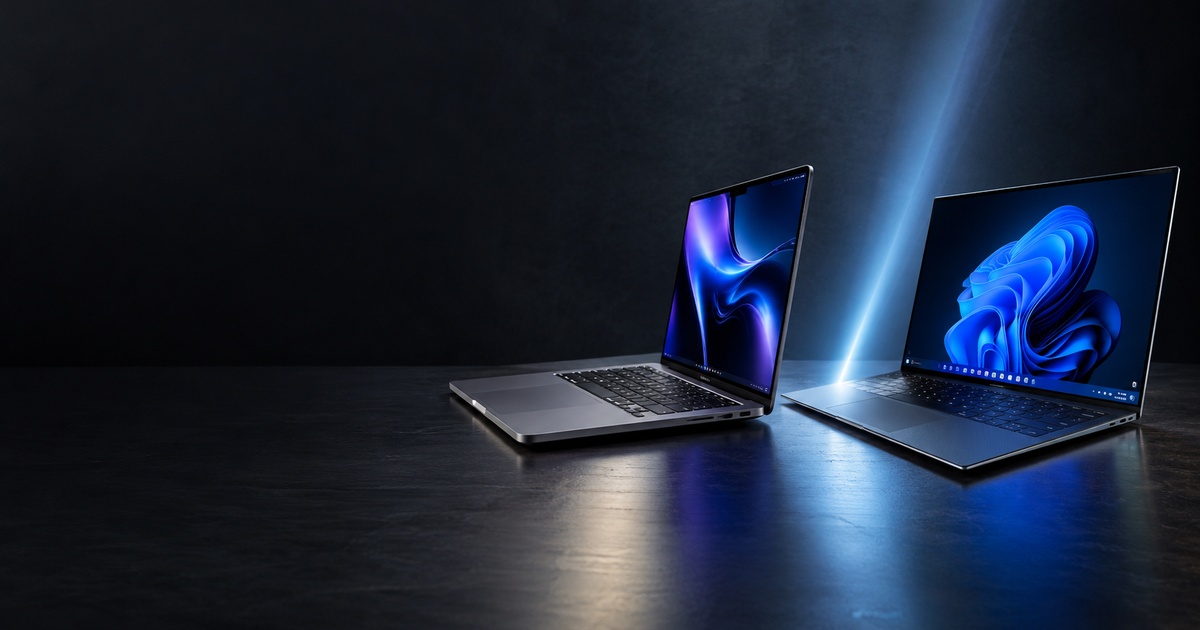
 MacBook Pro vs Dell XPS 16: Two Powerful Laptops, Two Very Different Lives
The laptop store is unusually quiet that afternoon.
Sarah stood in front of two machines. One carried the familiar Apple logo. The other was a sleek Dell XPS 16 running windows. Both looked expensive. Both promised serious performance. Both were capable of handling the kind of work that would make an ordinary laptop struggle.
She had only one question.
Which one should she buy?
Sarah was a content creator. She wrote articles, edited videos, worked with large images and occasionally produced podcasts. She did not need a laptop just because it looked expensive. She needed something that could keep up with her work without becoming another problem to solve.
A few feet away, another customer was asking almost the same question.
But his answer would probably be different.
And that is what makes the MacBook Pro and Dell XPS 16 interesting.
This is not simply a battle between Apple and Dell. It is a battle between two different ideas of what a professional laptop should be.
The MacBook Pro is deeply connected to Apple’s hardware and software ecosystem, while the Dell XPS 16 gives a user the flexibility of Windows and option of powerful NVIDIA graphics.
So, which one deserves your money?
The answer depends less on which laptop is more powerful and more on the kind of life you expect your laptop to live.
The MacBook Pro: Built for people who want their laptop to disappear into the work
For Sarah, the MacBook Pro makes an immediate argument.
The latest 16-inch MacBook Pro can be configured with Apple’s M5 Pro or M5 chips, putting considerable processing power into a relatively portable machine. It also features a 16.2-inch Liquid Retina XDR display with ProMotion refresh rates of up to 120Hz.
But specifications only tell part of the story.
Imagine Sarah sitting down to edit a video.
She opens her footage, works through a timeline, switches between applications and exports the finished project. Later, she writes an article while music plays in the background and keeps several browser tabs open.
She does not want to think about the processor.
She does not want to constant watch the battery percentage.
She simply wants to work.
That is where the MacBook Pro’s appeal becomes clear.
Apple rates the 16-inch M5 Pro MacBook Pro for up to 24 hours of video streaming and up to 17 hours of wireless web use. Real-world battery life will vary depending on the workload, but the numbers demonstrate Apple’s focus on long periods away from a power outlet.
For writers, designers, photographers, video editors and other professionals, that can be more important than winning a benchmark.
The MacBook Pro is not just selling performance.
It is selling a smoother working experience.
The Dell XPS 16: For people who do not want to leave Windows behind
Now imagine David.
Unlike Sarah, David has spent years working in Windows.
His files are organized around Microsoft applications. His workflow depends on Windows software. He occasionally plays PC games and uses creative applications that benefit from dedicated graphics.
For David, moving to macOS simply because the MacBook Pro is impressive does not necessarily make sense.
This is where the Dell XPS 16 enters the conversation.
Dell’s premium 16-inch laptop offers current Intel Core Ultra processors and configuration with either integrated Intel Arc graphics or dedicated NVIDIA GeForce RTX graphics, depending on the model.
That matters.
A laptop with an NVIDIA RTX GPU can be particularly attractive to users whose workloads benefit from dedicated graphics performance.
For a video editor, 3D artist, designer or Windows-based creative professionals, that flexibility can make the XPS 16 a compelling alternative.
David is not looking for Apple’s ecosystem.
He wants a powerful Windows machine that can adapt to his workflow.
And the XPS 16 gives him exactly that.
Then there is the screen
For some people, the screen is just where everything happens.
For others, it is part of the reason they buy the laptop.
The MacBook Pro’s 16.2-inch Liquid Retina XDR display is designed for demanding visual work. It offers high brightness, strong contrast and ProMotion technology with refresh rates of up to 120Hz.
The Dell XPS 16 takes a different approach.
Depending on the configuration, buyers can choose a large 16.3-inch display, including a high-resolution OLED option.
And this is where the comparison becomes less straightforward.
Suppose Maria is a photographer.
She cares about colour, contrast and how her images look while she works.
The there is James, a university student who spends hours reading documents, browsing websites and watching films.
And there is Daniel, a video editor who needs a display that can show his work accurately.
All three might look at the same two laptop and value completely different things.
That is why saying one display is simply “better” misses the point.
The best display is the one that suites what you actually do.
What about battery life?
Battery life is one of those things people rarely appreciate until they run out of it
Imagine a student rushing between classes with 15 percent battery remaining.
Or a journalist working from an airport.
Or a writer sitting in a café where every socket is already occupied.
Suddenly, battery life is not a technical specification.
It is freedom.
Apple rates the 16-inch M5 Pro MacBook Pro for up to 24 hours of video streaming and up to 17 hours of wireless web use.
Dell’s claimed battery figures vary by configuration, but the company advertises up to 31 hours of streaming for certain XPS 16 models with the 2K display.
These figures should not be treated as promises of everyday use. Screen brightness, applications, processor workload and configuration can dramatically change battery performance.
But they reveal something important.
Both companies understand that premium laptops are expected to last beyond the desk.
The ecosystem question
Then there is the question that specifications cannot answer.
What device do you already own?
Imagine James has an iPhone, Apple watch, and Airpods.
For him, the MacBook Pro is not operating alone.
It becomes another part of a connected environment.
Files, messages, photos and other information can move naturally between Apple devices, making the overall experience particularly attractive to people already invested in Apple’s ecosystem.
Now imagine David owns an Android phone, Windows desktop and several Windows-specific applications.
The Dell XPS 16 may fit naturally into his world.
Neither person is making the wrong decision.
They simply have different digital lives.
And this is one of the biggest lessons in buying technology:
The best device is not always the device with the best specification. Sometimes it is the device that fits into the file you already have.
What about gaming?
This is where the Dell XPS 16 can gain another advantage.
The MacBook Pro is not designed primarily as a gaming laptop. Apple’s machine can handle many demanding tasks, but macOS does not offer the same gaming ecosystem available on Windows.
The XPS 16, particularly in configurations with NVIDIA RTX graphics, gives Windows user access to a much broader PC gaming environment.
But there is a catch.
The XPS 16 is not primarily a gaming laptop either.
Someone whose main priority is gaming may be better served by a dedicated gaming machine with a more aggressive coding system and gaming-focused features.
So, Once again, the question is not simply:
Which laptop is more powerful?
It is:
Powerful enough for what?
Which one is better for a content writer?
For someone like Sarah, who writes articles, edits images, researches online and occasionally works with video, both machines can be excellent.
But the decision comes down to priorities.
The MacBook Pro is particularly attractive if she values battery life, Apple’s ecosystem, a high-end display and a quiet, polished workflow.
The Dell XPS 16 becomes more attractive if she prefers Windows, needs software that is better supported on Windows or wants the option of NVIDIA graphics.
For a professional content writer, neither choice is automatically wrong.
The laptop should support the writing rather than become the story.
Which one should you actually buy?
After all the specifications, displays, processors and battery claims, the decision becomes surprising simple.
Choose the MacBook Pro if:
- You already use several Apple devices.
- You work heavily with video, photography, music, or other creative workloads.
- You value long battery life and premium display.
- You prefer macOS.
- You want a powerful professional laptop that integrates tightly with Apple’s ecosystem.
Choose the Dell XPS 16 if:
- You prefer Windows.
- Your work depends on Windows applications.
- You want the option of NVIDIA RTX graphics.
- You prefer a large 16-inch display.
- You want a premium Windows laptop rather than moving into Apple’s ecosystem.
The Verdict
Back in the laptop store, Sarah eventually makes her decision.
She chooses the MacBook Pro.
David, standing nearby, chooses the Dell XPS 16.
Neither walks away with the wrong laptops.
Sarah needs a machine that disappears behind her creative work. David needs a powerful Windows computer that gives him flexibility and graphics options.
And that is the real answer to the MacBook Pro versus Dell XPS 16 debate.
There is no universal winner.
The MacBook Pro makes a compelling case for professionals who value Apple’s ecosystem, creative performance, battery life and display. The Dell XPS 16 makes an equally compelling case for Windows users who want premium design, a large display and the option of dedicated NVIDIA graphics.
So do not ask which laptop is the best.
Ask a better question:
Which laptop makes the most sense for the person you are and the work you actually do?
Because the best laptop is not necessarily the one that wins the comparison.
It is the one that wins the argument with your everyday life.