
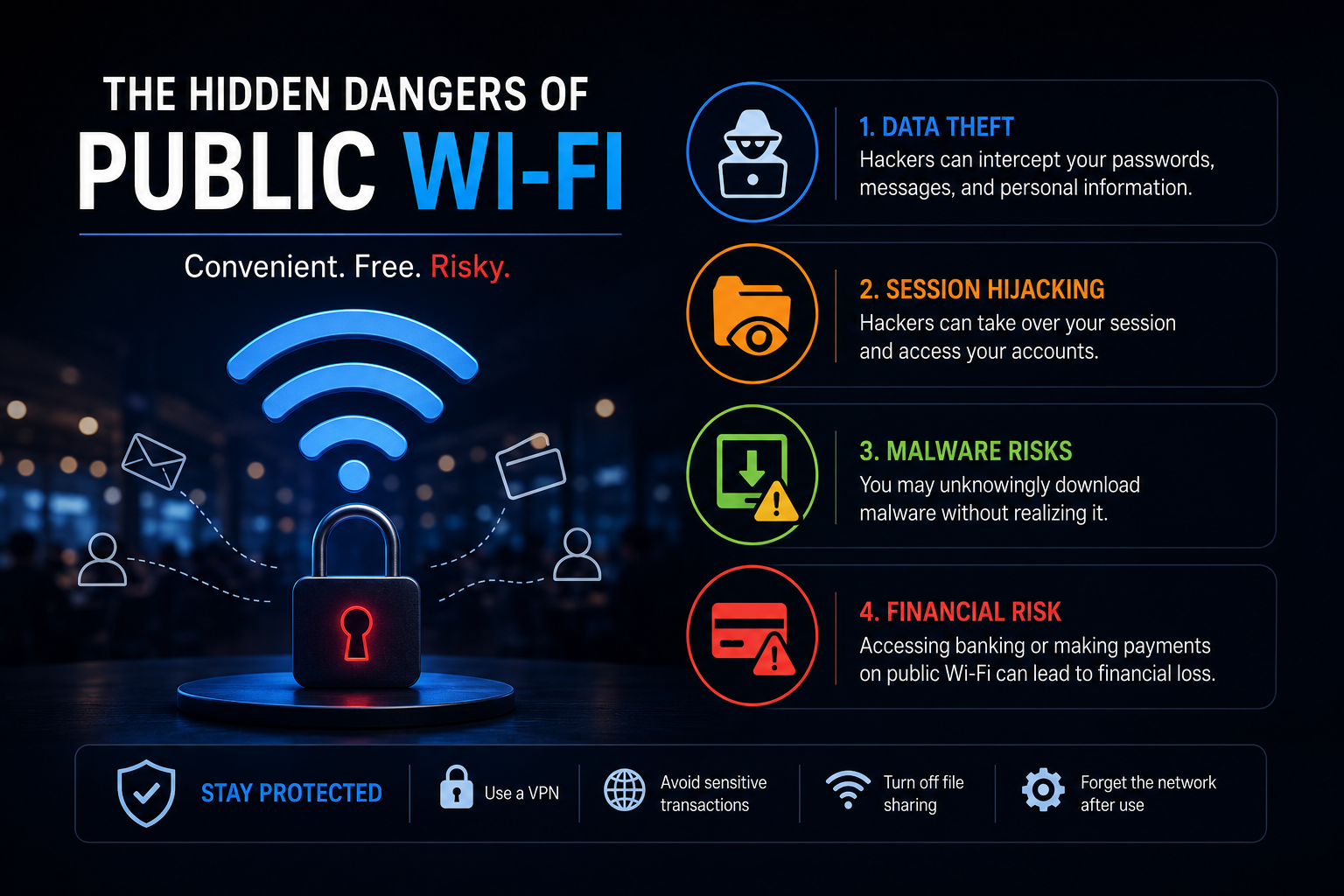
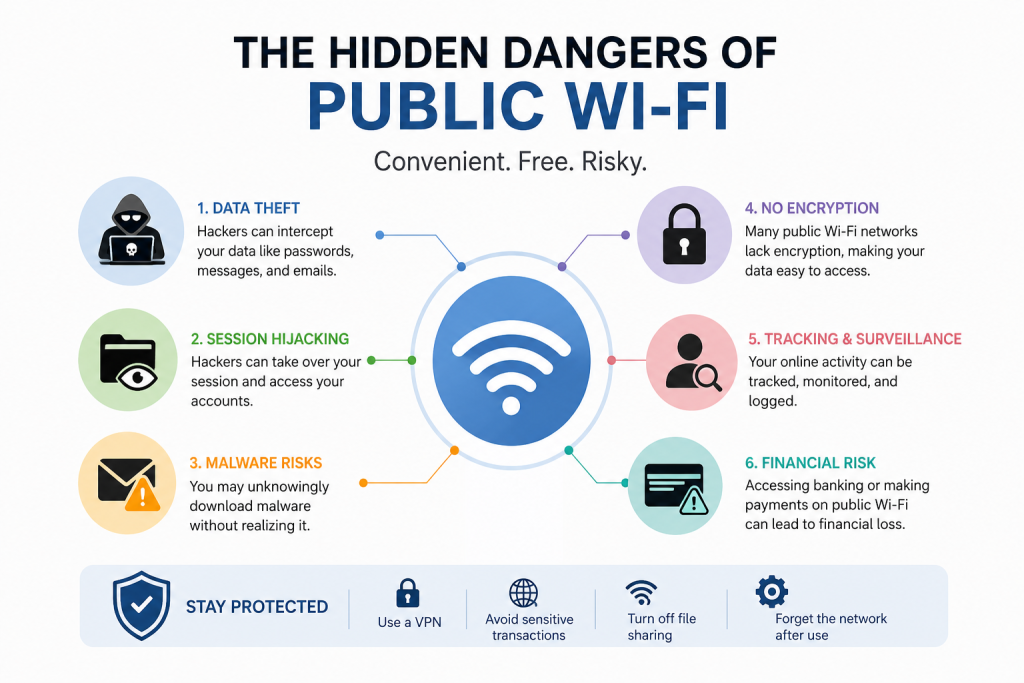
Free Wi-Fi, Invisible Risks: What You Need to Know Before You Connect
Picture this: you are at a coffee shop waiting for your order. To pass the time, you connect to free Wi-Fi and start checking your emails, scrolling through social media, and even making an online purchase. It feels convenient, fast, and completely harmless.
After all, public Wi-Fi is everywhere. Airports, hotels, restaurants, shopping malls, public parks, and even libraries offer free Internet access. For many people, connecting to public Wi-Fi has become a normal part of everyday life.
But beneath this convenience lies a hidden problem.
Public Wi-Fi networks are often less secure than the Internet connections in our homes or workplace. In some cases, they can expose your personal information to cybercriminals who are looking for opportunities to steal passwords,access accounts, or collect sensitive data.
The reality is that the free Internet connection you are enjoying could come with an invisible cost—your privacy and security.
This does not mean you should never use public Wi-Fi. That said, understanding its risks can help you browse more safely and avoid becoming a victim of cybercrime.
Let us explore the hidden dangers of public Wi-Fi and learn to protect yourself whenever you connect.
Why Public Wi-Fi Can Be Risky
Public Wi-Fi networks are designed to be easily accessible. Most require little or no authentication, making it simple for anyone to connect.
Unfortunately, this openness is exactly what makes them attractive to cybercriminals.
On many public networks, multiple users share the same Internet connection. If the network lacks proper security measures, attackers may find ways to intercept data moving between devices and the Internet.
Think of public Wi-Fi as a crowded room where everyone is talking. If your conversation is not protected, someone nearby might be able to listen in.
Similarly, your digital activities can sometimes be exposed if you connect to an unsafe network.
Danger #1:Data Interception
One of the biggest risks of public Wi-Fi is data Interception.
Whenever you browse the Internet, information travels between your device and websites. This information may include:
- Usernames
- Passwords
- Email addresses
- Personal messages
- Banking information
- Credit card details
On poorly secured networks, cybercriminals may attempt to capture this information as it moves across the network.
If successful, they could gain access to your personal accounts or sensitive information
Even something as simple as logging into an email account on an unsecured network could potentially expose your credentials.
Danger #2: Fake Wi-Fi Networks
Not every public Wi-Fi network is real.
Cybercriminals sometimes create fake networks that appear trustworthy.
For example, imagine you visit a café called Corner. You might see two available networks:
- CoffeeCorner_WiFi
- Free_CoffeeCorner_WiFi
At first glance, both names seem valid. However, one of them could be controlled by an attacker.
When users connect, criminals may monitor Internet activity or attempt to collect login information.
These fake hotspots are often called “evil twin” networks because they imitate real networks to trick users into connecting.
Many people never realize they have connected to a fraudulent network.
Danger #3: Man-in-the-middle Attacks
A particularly dangerous threat known as a Man-in-the-middle attack.
In this type of attack, a cybercriminal secretly positions themselves between your device and the website or service you are accessing.
Instead of information traveling directly between you and the website, it passes through the attacker’s system.
This allows the attacker to potentially:
- Monitor activity
- Capture sensitive information
- Alter transmitted data
- Redirect users to malicious websites
Because everything appears normal from the user’s prospective, these attacks can be difficult to detect.
Danger #4: Malware Distribution
Public Wi-Fi Can also become a channel for distributing malware.
Malware refers to harmful software designed to:
- Steal information
- Damage devices
- Spy on users
- Gain unauthorized access
Some attacks exploit weak networks to spread malicious files or trick users into downloading harmful software.
In certain cases, simply clicking on a suspicious link or downloading an unknown file while connected to public Wi-Fi can compromise your device.
Once malware is installed, it may operate quietly in the background, collecting information without your knowledge.
Danger #5: Session Hijacking
Many websites keep users logged in through temporary session information.
Session hijacking occurs when attackers steal this information and use it to impersonate users online.
For example, if an attacker gains access to your active social media session, they may be able to:
- View private messages
- Access personal information
- Post content on your behalf
- Change account settings
The same risk can extend to email accounts and other online services.
Although websites increasingly use security measures to reduce the risk, session hijacking remains a serious concern on insecure networks.
Danger #6: Identity Theft
Identify theft is one of the most damaging consequences of poor online security.
Cybercriminals may attempt to gather personal information such as:
- Full names
- Email addresses
- Phone numbers
- Passwords
- Financial information
Over time, stolen information can be used to:
- Access accounts
- Commit fraud
- Impersonate victims
- Conduct phishing attacks
Recovering from identity theft can be stressful, expensive, and time-consuming.
Prevention is far easier than dealing with the consequences.
Danger #7: Increased Phishing Risks
Public Wi-Fi environments often create opportunities for phishing attacks.
Phishing involves deceiving people into revealing sensitive information.
For example, attackers may display fake login pages that resemble verified websites.
You might think you are signing into an email account or social media platform, but you are actually entering your credentials into a fraudulent page controlled by cybercriminals.
Because people often use public Wi-Fi while distracted or in a hurry, they may overlook warning signs.
Why Smartphone Are Especially Vulnerable
Many people assume smartphones are automatically secure.
In reality, smartphone face many of the same risk as computers when connected to unprotected networks.
We use our phones for nearly everything:
- Banking
- Shopping
- Social Media
- Messaging
- File storage
A single device may contain years of personal information.
Because smartphones are so integrated into our daily lives, compromising one device can expose a significant amount of sensitive data.
This makes smartphones attractive targets for cybercriminals.
Signs That a Public Wi-Fi Network May Be Unsafe
Although it is not always possible to identify harmful networks, certain warning signs deserve attention.
The Network Name Looks Suspicious
Names such as:
- Free Internet
- Unlimited Wi-Fi
- Airport Free Network
may not necessarily be genuine.
Always verify network names with staff whenever possible.
No Password Protection
Open networks without passwords can be convenient, but they may also be less secure.
Unexpected Pop-up Messages
Some networks display suspicious login pages or ask unusual information.
Be cautious if a network requests unnecessary personal details.
Frequent Disconnections
Unstable connections may occasionally indicate poorly configured or suspicious networks.
How to Protect Yourself on Public Wi-Fi
Fortunately, there are practical steps you can take to reduce risks.
Avoid Accessing Sensitive Accounts
Try not to:
- Log into banking apps
- Make financial transactions
- Enter payment information
Wait until you are using a trusted connection whenever possible.
Verify Network Names
Before connecting, confirm the official network name with staff members.
Avoid selecting networks simply because they appear familiar.
Turn Off Automatic Connections
Many devices automatically connect to previously used networks.
Disabling this feature can help prevent accidental connections to fake networks.
Use Secure Websites
Look for websites that use HTTPS.
The padlock icon in your browser indicates that the connection is encrypted.
Although HTTPS does not eliminate all risks, it provides an important layer of protection.
Log Out of Accounts
When finished using public Wi-Fi, sign out of Websites and applications, particularly those containing sensitive information.
Keep Software Updated
Software updates frequently include security improvements and patches that address newly discovered vulnerabilities.
Keeping your device updated helps reduce exposure to cyber threats.
Disable File Sharing
If file-sharing features are enabled, other devices on the same network may potentially discover your device.
Turning of unnecessary sharing features can improve security.
The Balance Between Convenience and Security
Public Wi-Fi has transformed modern life.
It allows people to work remotely, communicate instantly, and stay connected almost anywhere.
Nonetheless, convenience should never come at the expense of security.
Cybercriminals often rely on users assuming that free Wi-Fi is automatically safe. In reality, every public network carries some level of risk.
The good news is that safe browsing habits significantly reduce your chances of becoming a victim.
Awareness is one of the most powerful tools in cybersecurity.
Final Thoughts
Free public Wi-Fi can feel like a gift in today’s connected world. It saves mobile data , provides convenience, and keeps us online wherever we go.
Yet hidden behind that convenience are real security risks.
Data Interception, fake networks, malware, phishing attacks, session hijacking, and identify theft are all potential dangers that users should understand.
Fortunately, staying safe does not require advanced technical knowledge. By verifying networks, avoiding sensitive transactions, keeping software updated, and practicing good digital habits, you can greatly reduce your exposure to online threats.
The next time you are tempted to connect to free Wi-Fi at an airport, café, or shopping mall, take a moment to think about the risks.
Because when it comes to cybersecurity, the smartest connection is an informed one.