
 What Happens When Artificial Intelligence Runs Directly on Your Phone?
Your smartphone recognises faces, improve photographs, suggest replies to messages and even convert spoken conversations into written text. Some devices can perform these tasks without sending every piece of information across the internet.
But have you ever wondered where all that processing actually happens?
When you open an artificial intelligence application, it is easy to assume that your request travels through the internet to a powerful computer somewhere before returning with an answer. That is how many AI services operate. However, another approach is becoming increasingly important: Running artificial intelligence directly on your smartphone.
This technology is known as on-device AI, and it is changing how smartphones process information, protect personal data and deliver intelligent features.
To understand it properly, we need to look beyond the applications on our screens and examine the processors, software and AI models working inside our devices.
What Exactly Is On-Device AI?
On-device AI refers to artificial intelligence that processes information directly on a device rather than depending entirely on remote computers.
In simple terms, your smartphone performs an AI task using its own processing capabilities.
Think about opening your camera and pointing it towards a flower. Your smartphone may recognise the object, identify the scene and automatically adjust the camera settings to produce a better photograph.
Instead of sending the image to an external server for every adjustment, compatible devices can analyse the information locally.
For this to happen, the smartphone needs an AI model. An AI model is a software trained to recognise patterns, interpret information or generate responses based on what it has learned.
These models can be installed and executed on compatible smartphones.
On-device AI can help smartphones:
- Recognise objects, faces and scenes in photographs.
- Understand spoken words and convert them into text.
- Suggest suitable replies during conversations.
- Summarise selected information.
- Improve photographs automatically.
- Translate supported languages.
- Recognise patterns in certain activities.
The important distinction is that the processing happens locally. The phone does not need to send every request to a distant data centre.
The NPU: The Processor Helping Your Phone Handle AI
Running artificial intelligence involves enormous amounts of mathematical calculations. Although a smartphone’s central processing unit (CPU) can perform these calculations, it is not always the most efficient component for specialised AI workloads.
This is where the Neural Processing Unit (NPU) becomes important.
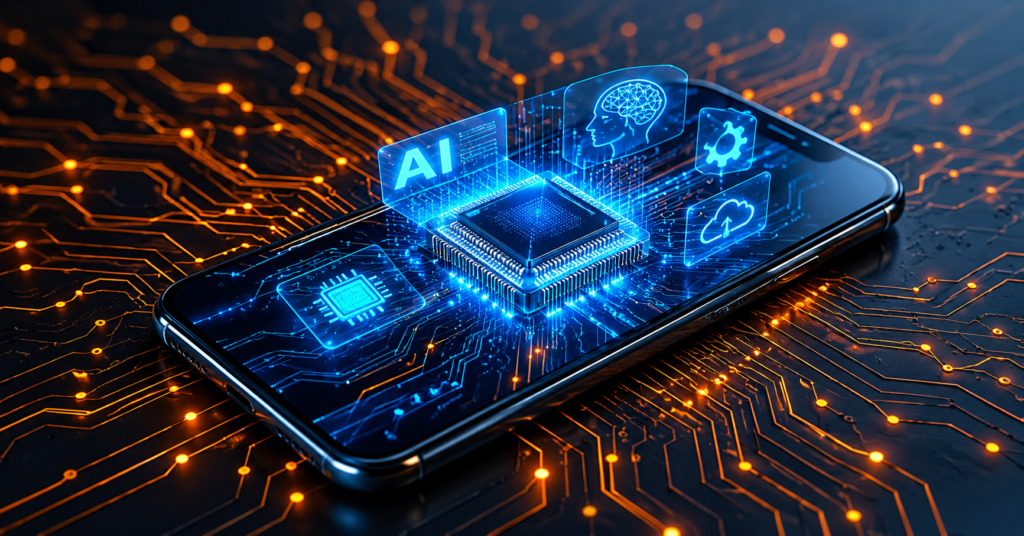
An NPU is a specialised processor designed to accelerate the mathematical operations commonly used in artificial intelligence and machine learning.
It works alongside other components rather than replacing them.
A modern smartphone may contain several processing units, each responsible for different workloads:
- CPU: Handles general operations, application instructions and everyday computing tasks.
- GPU: Processes graphics and performs calculations that benefit from parallel processing.
- NPU: Accelerates supported artificial intelligence and machine learning operations.
For instance, when a camera application uses AI to recognise a subject, the NPU may help process the information while the CPU coordinates the application and other system activities.
The NPU is not artificial intelligence itself. It is hardware that helps AI models perform their calculations more efficiently.
This distinction matters because an AI model is the software making predictions or generating outputs, while the NPU is one of the tools that can help execute that model.
Not every smartphone has a dedicated NPU, and the capabilities of these processors differ across manufacturers and device generations.
On-Device AI vs Cloud-Based AI: Where Does Processing Happen?
Not every AI application works the same way. Some process information locally, while others depend on powerful computers connected through the internet.
Cloud-based AI sends a request to a remote server, where the model processes the information before returning a response.
For example, when someone asks an online AI assistant a complicated question, the request may travel through an internet connection to a data centre containing powerful processors.
On-device AI follows a different route.
The model is available on the smartphone, allowing compatible tasks to be processed using local hardware.
Understanding the Two Processing Routes
The following diagram illustrates what happens when someone makes an AI request.
1. On-device AI: Local processing
USER REQUEST ↓ SMARTPHONE APPLICATION ↓ LOCAL AI MODEL ↓ CPU / GPU / NPU ↓ RESULT GENERATED ↓ RESPONSE ON SCREEN
No internet connection required for supported offline tasks.
2. Cloud-based AI: Remote
USER REQUEST ↓ SMARTPHONE APPLICATION ↓ INTERNET CONNECTION ↓ REMOTE SERVER / DATA CENTRE ↓ CLOUD AI MODEL PROCESSES REQUEST ↓ RESPONSE SENT BACK ↓ RESULT ON SMARTPHONE
The main difference is where the AI model processes the information. One uses the smartphone’s own resources, while the other relies on remote computing infrastructure.
There is also a third approach called hybrid AI.
With hybrid processing, a smartphone handles suitable tasks locally but sends more demanding requests to cloud-based systems when necessary.
This combination allows developers to balance speed, processing requirements and available hardware.
Why Can Some AI Features Work Without Internet Access?
One interesting advantage of on-device AI is its ability to perform certain tasks without an active internet connection.
The explanation is relatively straightforward: the AI model required for the task is already stored on the device.
When you activate a supported feature, the smartphone uses its local software and hardware to process the request. It does not need to contact an external server to complete that particular operation.
For instance, Google’s Gemini Nano is designed to run directly on supported Android devices through Android AICore.
Depending on device compatibility and feature availability, this technology can support tasks such as:
- Text summarisation?
- Message rewriting and proofreading.
- Selected translation functions.
- Speech transcription.
- Image description.
However, offline functionality has limitations.
An AI feature may still require internet connection to download its model, receive updates or access information that is not stored locally.
Therefore, having an AI-powered application installed does not mean every feature will work without internet access.
How Does On-device AI Improve Privacy?
Privacy is another important reason for developing AI models that operate directly on smartphones.
Consider using an AI feature to summarize a personal note containing private information.
If the task is processed through a loud service, the information may need to travel across the internet to a remote server.
With local processing, the supported AI operation can happen without transmitting that particular information to an external server.
This offers several potential advantages:
- Reduced data transmission: Sensitive information does not always need to leave the device.
- Greater local control: Certain processing activities can happen without involving an external service.
- Reduced exposure: Fewer network transfers can mean fewer opportunities for information to be intercepted during transmission.
- Faster responses: Removing the round trip to a remote server can reduce waiting time.
However, local processing does not guarantee complete privacy.
An application may still collect usage information, synchronise files or transmit other data through its own services.
Users should examine application permissions and privacy politics rather than assuming every AI feature operates entirely offline.
Smartphone Feature Already Using On-Device AI
On-device artificial intelligence is not limited to futuristic smartphones or experimental applications. Several everyday features already use local machine learning to perform specific tasks.
1. Camera enhancements
Modern smartphone cameras use AI techniques to recognise scenes, detect subjects and improve image quality.
Depending on the device, local processing can help with:
- Recognising faces and subjects
- Adjusting exposure and colours.
- Reducing image noise.
- Improving portrait effects.
- Identifying suitable camera settings.
2. Voice recognition
Some smartphones can convert spoken words into written text using locally available speech recognition models.
This is useful when recording note, dictating messages or transcribing supported audio without continuously relying on an online service.
3. Predictive typing
Your keyboard may suggest the next word while you are writing a message.
Machine learning helps analyse language patterns and predict what you might type next. Some advanced suggestions can also use local AI models to understand context.
4. Face Recognition
Certain facial recognition systems use machine learning to analyse facial features and distinguish authorised users from other people.
The exact security architecture varies between devices, but local processing can play an important role.
5. Photo organisation
AI-powered photo applications can recognise objects, places and other visual patterns, making it easier to search through large image collections.
These examples demonstrate that artificial intelligence does not always appear as a chatbot or a conversation window. Sometimes,it operates quietly inside features people already use.
What Are the Limitations of Running AI on a Smartphone?
Despite its advantages, on-device AI has several technical limitations.
A smartphone is not a data centre. It has limited memory, battery capacity, storage and processing power.
These restrictions influence the size and complexity of AI models that can operate efficiently.
Some important limitations include:
- Limited processing power: Smartphones cannot handle every demanding AI workload as efficiently as specialised server infrastructure.
- Battery consumption: Running AI models requires energy. Repeated or demanding operations can contribute to battery drain.
- Heat generation: Intensive processing can increase device temperature, particularly during extended workloads.
- Storage requirements: AI models can occupy significant storage space, especially when multiple models are installed.
- Memory limitations: Larger models require more working memory to operate smoothly.
- Reduced capabilities: Smaller mobile models may produce less detailed or accurate results than larger cloud-based alternatives.
Compatibility is another challenge.
Not every smartphone supports the same AI features. Manufacturers may restrict certain capabilities to devices with particular processors, memory configurations or software versions.
This explains why two smartphones running similar versions of an operating system may offer different AI experiences.
The Future of AI Is Moving Closer to the User
The development of on-device AI represents an important change in how artificial intelligence is delivered.
Instead of depending on remote computers for every intelligent operation, smartphone are increasingly capable of handling selected tasks independently.
This could make future devices more responsive, useful and adaptable to individual needs.
We may see improvements in areas such as:
- Personalised digital assistants.
- Real-time language translation.
- Advanced voice interactions.
- Intelligent document processing.
- More sophisticated camera features.
- Context-aware smartphone applications.
However, cloud computing will remain important for tasks requiring extensive processing power, larger models or constantly updated information.
The future is therefore unlikely to involve smartphones replacing cloud-based AI completely. A combination of local and remote processing is a more practical direction.
Conclusion
Artificial intelligence running directly on your smartphone is more than another feature manufacturers can advertise. It represents a different approach to processing information.
Through specialized hardware such as NPUs, compatible AI models can analyse information, recognise patterns and perform selected tasks without constantly depending on internet-connected servers.
For smartphone users, this can mean faster responses, offline functionality and better opportunities to keep certain personal information on their devices.
Nethertheless, local AI still faces limitations involving battery life, memory, processing power and model capabilities.
The next time your smartphone improves a photograph, suggests a message or recognises spoken words, remember that the processing may be happening much closer than you think.
Sometimes, the intelligence you experience on your screen does not come from a computer thousands of kilometres away. It comes from the device already in your hand.