
How Your Phone Camera Uses AI to Take Better Photos
Have you ever snapped a photo with your smartphone and wondered, “how did it make that picture look so good?” You didn’t adjust lighting, change the camera settings, or spend time editing afterward. Yet somehow, the colors look richer, the faces appear clearer, and even a dimly lit room looks surprisingly bright.
It almost feels as though your phone knows exactly what you are trying to capture.
The secret is not just a better camera lens or a higher megapixel count. Behind every tap of the shutter is a powerful technology working in milliseconds—artificial intelligence(AI). Modern smartphones do not simply capture what the camera sees; they analyze the scene, understand what you are photographing, and intelligently enhanced the image before you even open your gallery.
Whether you are taking a selfie, photographing your pet, capturing a sunset, or scanning a document, AI is quietly making thousands of tiny decisions to improve the final result. It is one of the biggest reasons why smartphone photography has improved so dramatically over the past few years.
We will be exploring how AI works, the features it powers, and why it has transformed the way millions of people take photos every day.
What Is AI Photography?
AI photography refers to the use of artificial intelligence and machine learning to help cameras capture better images automatically.
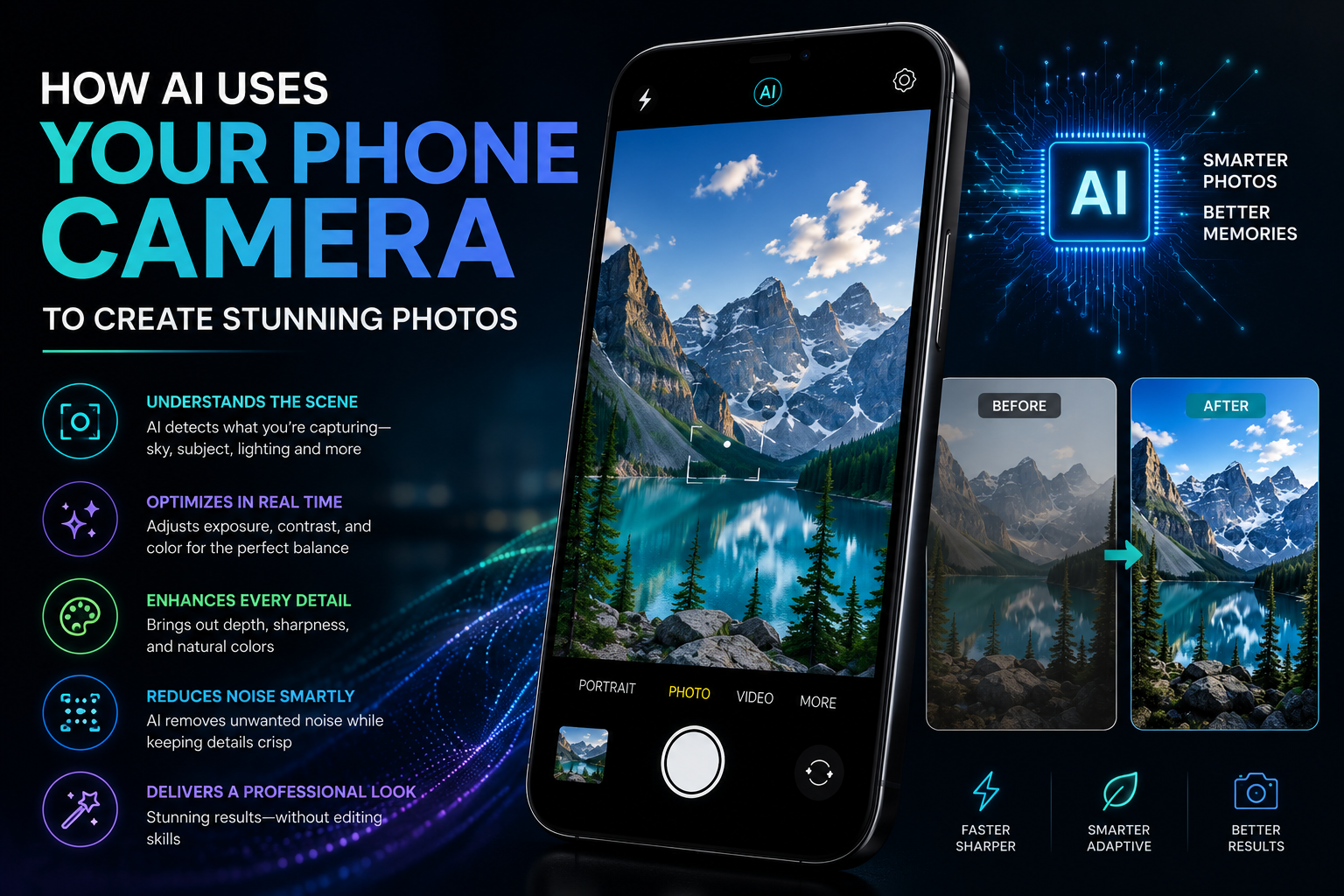
Instead of relying entirely on camera hardware, AI studies what the camera is seeing and makes intelligent adjustments in real time. It can recognize different subjects, understand lighting conditions, reduce noise, improve colors, sharpen details, and even edit parts of a photo after it has been taken.
The goal is simple: help anyone take professional-looking photos without needing professional photography skills.
Scene Recognition: Your Camera Knows What It is Looking At
One of the first things AI does is identity the scene.
As soon as you point your phone at something, AI examines millions of pixels and compares them with patterns it has learned from countless images.
It can recognize:
- People
- Food
- Pets
- Flowers
- Landscapes
- Beaches
- Mountains
- Documents
- Night scenes
- Buildings
- Snow
- Sunsets
Once the subject is identified, your phone automatically adjusts settings like:
- Brightness
- White balance
- Contrast
- Saturation
- Focus
- Sharpness
For example, if you are photographing food, AI may increase color vibrancy to make the meal look more appetizing. If you are capturing a sunset, it may preserve the warm orange and pink tones instead of washing them out.
AI Automatically Improves Lighting
Lighting is one of the biggest challenges in photography.
Professional photographers often spend time adjusting exposure settings, but AI does this instantly.
Your phone evaluates:
- How bright the scene is
- Where shadows appear
- Which areas are overexposed
- Which parts need more detail
It then balance the entire image so that neither the bright nor dark areas lose important information.
The result is a photo that looks natural and well-balanced.
Night Mode: AI’s Biggest Achievement
A few years ago, taking photos in the dark usually resulted in blurry, grainy images.
Today, many smartphones produce remarkably bright nighttime photos.
AI makes this possible by:
- Taking several photos in quick succession
- Combining the best parts of each image
- Reducing digital noise
- Correcting camera shake
- Recovering hidden details
Instead of depending solely on the camera sensor, AI builds a cleaner and brighter final image.
That is why city lights, stars, and indoor evening photos now look far better than they once did.
Portrait Mode and Background Blur
Portrait photography used to require expensive DSLR cameras.
Now smartphones create similar effects using AI.
The camera first detects the person’s face and body before estimating the distance between the subject and the background.
AI then creates a realistic depth effect by softly blurring everything behind the subject while keeping the face sharp.
Many phones even allow you to adjust the amount of blur after taking the photo.
AI Makes Selfies Look Better
Selfie cameras have become increasingly intelligent.
AI can:
- Smooth skin naturally
- Brighten faces
- Reduce harsh shadows
- Enhance eye detail
- Adjust facial lighting
- Balance skin tones
Most smartphones now allow users to control these enhancements, so photos can look either more natural or more polished depending on personal preference.
HDR: Capturing More Detail
Have you ever tried taking a photo with a bright sky and dark foreground?
Normally, one part would look perfect while the other would be too bright or too dark.
AI-powered High Dynamic Range (HDR) solves this problem.
Your phone captures multiple exposures almost instantly and merges them into one balanced image.
The result is:
- Better cloud detail
- Brighter shadows
- Natural-looking skies
- Improved overall contrast
This process happens automatically in many smartphones.
AI Reduces Blur and Camera Shake
Even steady hands are not perfectly still.
Small movements can create blurry photos, especially in low light.
AI helps by detecting movement while you are taking the picture.
It selects the sharpest frames, aligns them, and combines them into a cleaner image.
Some phones even predict movement before you press the shutter.
Smarter Zoom Without Losing Quality
Traditional digital zoom simply enlarges an image, often making it blurry.
AI-powered zoom works differently.
Instead of stretching pixels, AI reconstructs missing details using information gathered from multiple frames and learned image patterns.
The result is sharper zoomed-in photos, even when using digital zoom.
AI Removes Unwanted Objects
Modern photo editing has become much easier thanks to AI.
Many smartphones now let you remove:
- Strangers in the background
- Power lines
- Random objects
- Shadows
- Reflections
AI evaluates the surrounding area and intelligently fills in the missing space so the edit appears natural.
Tasks that once required advanced editing software can now be completed with just a few taps.
Smarter Photo Organization
AI does not just improve your photos—it also helps manage them.
Your phone can automatically organize pictures by:
- People
- Pets
- Location
- Dates
- Events
- Objects
Searching for “beach,” “dog,” or “birthday” often brings up relevant photos without you having to manually create albums.
This makes finding old memories much faster.
AI Helps Preserve Natural Colors
Sometimes cameras capture colors that do not match what your eyes actually saw.
AI works to correct this by assessing the lighting and adjusting color balance automatically.
Whether you are photographing a snowy landscape, a sunset, or indoor lighting, AI aims to produce colors that appear realistic while still making the image visually appealing.
Faster Photography For Everyone
One of AI’s greatest advantages is speed.
Professional photography often involves adjusting shutter speed, ISO, focus, and white balance manually.
AI performs these calculations almost instantly.
This means beginners can simply point their phone, tap the shutter, and still capture impressive images.
It is one of the reasons smartphone photography has become so accessible.
The Limitations of AI Photography
Although AI has transformed smartphone cameras, it is not perfect.
Sometimes it can:
- Over-sharpen images
- Add excessive color saturation
- Make skin look unnatural
- Blur hair or glasses incorrectly in portrait mode
- Misidentify scenes
Professional photographers often prefer manual controls because they offer complete creative freedom.
Fortunately, many smartphones now let users switch between AI-assisted and manual modes depending on the situation.
The Future of AI in Photography
AI photography is advancing rapidly.
In the coming years, smartphones are expected to become even more intelligent.
Future AI features may include:
- Better motion capture for sports and action shots
- More realistic image restoration
- Improved low light performance
- Real-time object removal while taking photos
- Advanced video enhancements
- Personalized camera settings based on your photography habits
As AI continues to evolve, the gap between smartphone cameras and professional equipment may become even smaller for everyday photography.
Conclusion
Everytime you capture a photo with your smartphone, you are relying on far more than a camera sensor. Artificial intelligence is working quietly in the background recognizing scenes, balancing light, reducing noise, sharpening details, and making countless adjustments in the blink of an eye.
The result is that anyone, regardless of photography experience, can take clearer, brighter, and more visually appealing photos with just a tap.
As AI becomes even more sophisticated, smartphone photography will continue to evolve, offering smarter features and better image quality without adding complexity for users. Whenever your phone captures a stunning sunset, a sharp portrait, or a crisp night scene, remember that you are not just using a camera, you are using a camera powered by artificial intelligence.