
Why Websites Ask You to Verify You Are Human: The Technology Behind CAPTCHA
More Than Just a Checkbox
You open your laptop to buy a set of bags you have been eyeing for weeks. The item is finally on sale, and you are determined not to miss out. You add it to your cart, head to checkout, and just as you are about to complete the purchase, a small box appears.
“Please verify you’re human.”
You sign.
Not again.
You click the checkbox, identify a few traffic lights, and continue without giving it much thought. It is a routine you have repeated hundreds of times—whether you are signing in to your email, creating a social media account, downloading software, or leaving a comment on a blog.
But have you ever stopped to wonder why the Internet keeps asking the same question?
After all, you know you are a real person. So why does a website need proof?
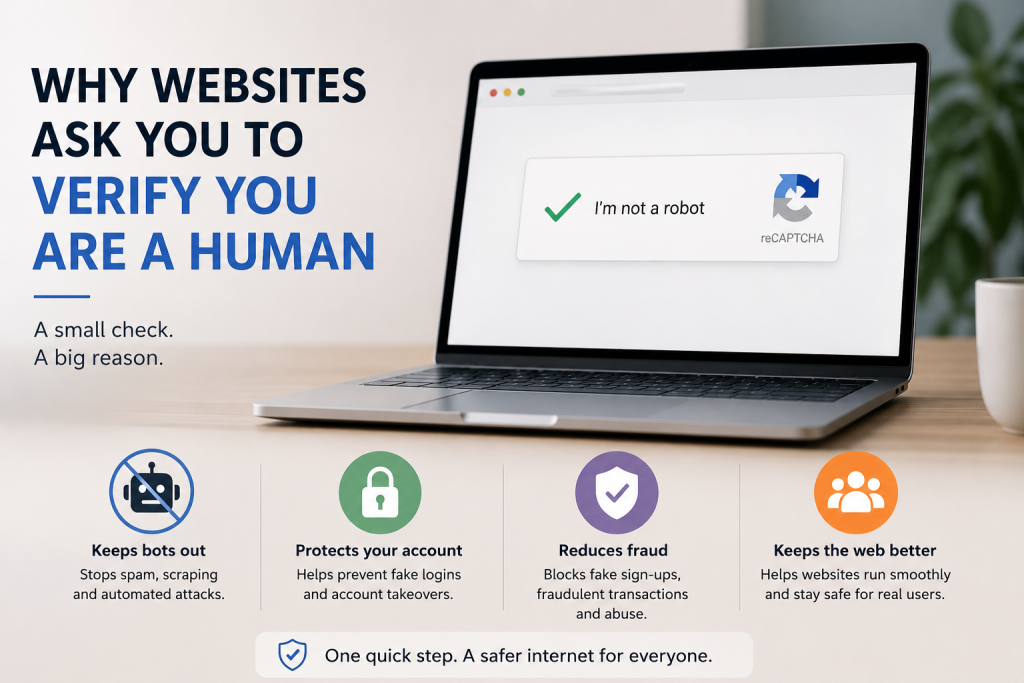
The truth is, that tiny verification box is not questioning your identity, it is protecting the website from millions of automated programs constantly trying to impersonate real users. While you are browsing, invisible bots are working around the clock to flood websites with spam, crack passwords, create fake accounts, scrape information and launch cyberattacks. The simple challenge you complete in a few seconds is often enough to stop many of those automated treats in their tracks.
Behind that familiar “I’m not a robot” checkbox is a surprisingly sophisticated security system that helps keep the modern Internet safer for everyone. In this article, we will uncover why websites ask you to verify you are human, how these systems work behind the scenes, and why this small interruption has become one of the web’s most important lines of defense.
What Does “Verify You’re Human” Really Mean?
Despite the wording, websites are not actually asking whether you are a human being. They already know you are using a browser, typing on a keyboard, or tapping on a phone screen. What they are really trying to answer is a different question:
“Is this visitor behaving like a real person or like an automated program?”
To understand why that matters, you first need to meet the Internet busiest workers: bots.
Meet the Bots
A bot—short for robot is a software program designed to carry out tasks automatically. Instead of waiting for someone to click a button or type a command, bots can work continuously, performing the same action over and over again without getting tired.
Not all bots are bad. In fact, many help make the Internet function.
For example:
- Search engines use bots to crawl websites and index pages so you can find them in search results.
- Customer service bots answer common questions around the clock.
- Some bots monitor websites for broken links or security issues.
- Others help businesses update information automatically.
These are examples of good bots. They make the web faster, more useful, and more efficient.
The process begins when bots are created with harmful intentions.
When Bots Become a Threat
Imagine a website that lets everyone create an account.
A real person might sign up once and start using the service.
A malicious bot, however, can create thousands of fake accounts in just few minutes. Those fake accounts might be used to send spam, post scams, manipulate online polls, spread misinformation, or abuse promotional offers.
The same idea apply to login pages. Instead of guessing one password at a time like a human would, a bot can test thousands or even millions of stolen username and password combinations in a short period.
If someone has reused the same password across multiple websites, the bots may eventually find a match.
Bots can also:
- Flood comment sections with spam.
- Buy limited-edition products before real customers have a chance.
- Submit fake contact forms repeatedly.
- Scrape content from websites without permission.
- Launch attacks that overwhelm websites with fake traffic.
Without safeguards, these automated activities could slow websites down, frustrate users, and even expose sensitive information.
The Website’s Security Checkpoint
This is where human verification comes in.
Think of it like airport security.
Thousands of travelers pass through an airport every day, but security officers still check boarding passes and scan luggage—not because they assume everyone is dangerous, but because those checks help keep everyone safe.
Websites follow a similar security.
They do not assume every visitor is a bot. Instead, they perform a quick security check whenever an action seems worth protecting, such as creating an account, signing in, submitting a form, or making a purchase.
If your activity looks like that of a genuine person, you are allowed to continue instantly.
If something seems suspicious, perhaps requests are arriving too quickly, or unusual patterns are detected—the websites may ask you to complete an extra challenge before granting access.
It is a small pause that can stop millions of automated attacks before they ever reach their target.
What Is CAPTCHA? The Technology Behind the “I’m Not a Robot” Checkbox
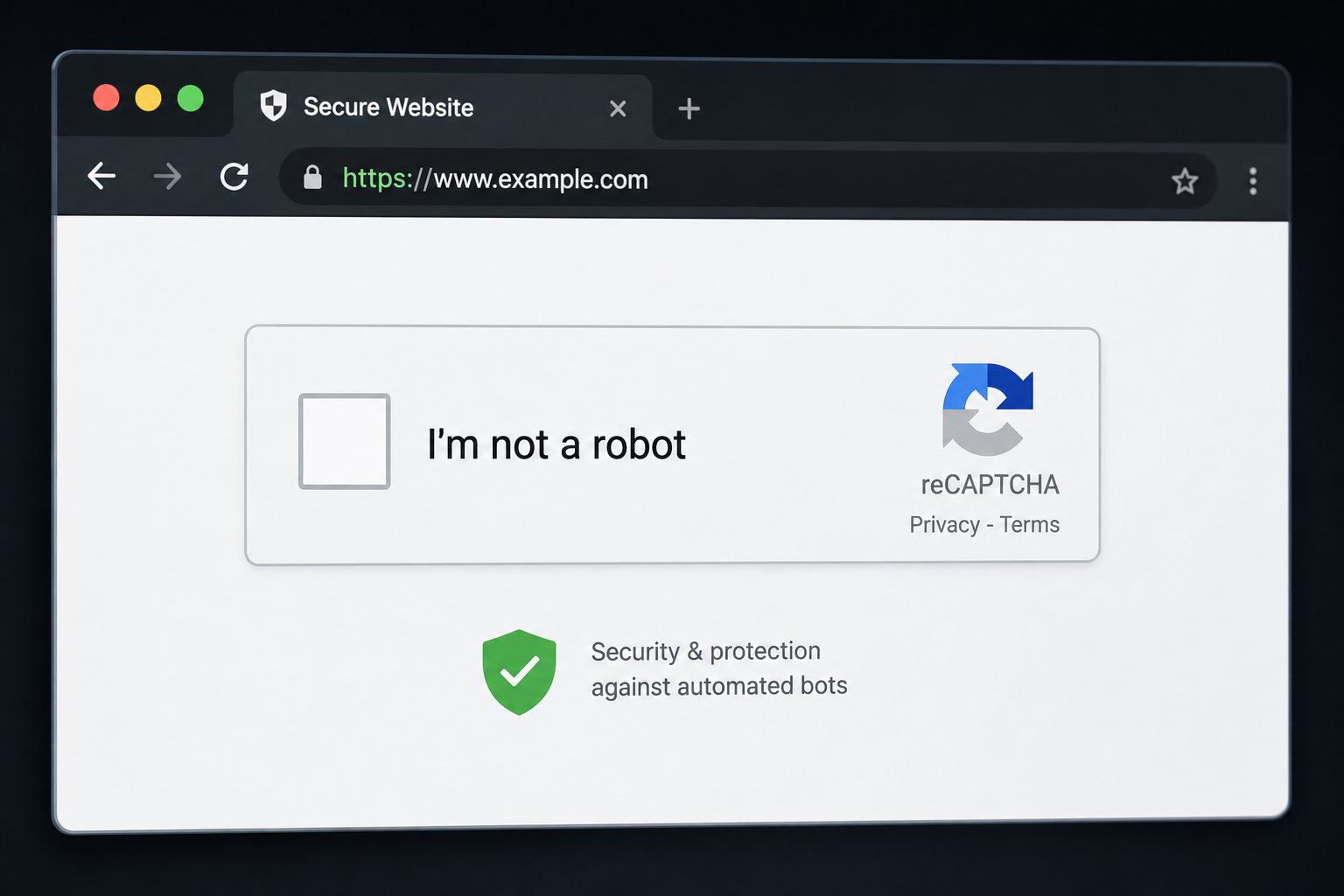
If you have ever clicked the “I’m not a robot” checkbox, you have already used one of the Internet’s most common security tools: CAPTCHA.
The name might sound complicated, but the idea behind it is surprisingly simple.
CAPTCHA stands for Completely Automated Public Turing test to Tell Computers and Humans Apart. That is a mouthful, but its purpose is straightforward: it gives visitors a task that is easy for most people but much more difficult for automated programs to complete.
Think of CAPTCHA as a digital gatekeeper. Before allowing someone to create a account, sign in, submit a form, or complete another important action, it performs a quick check to make sure a real person is behind the screen.
It Is Not Just About the Checkbox
Many people assume the checkbox itself is the test.
In reality, the moment you click “I’m not a robot,” the verification process has often already begun.
Modern CAPTCHA systems quietly analyze dozens of small signals before you even notice. They may look at things like:
- How naturally your mouse moves across the page.
- Whether your clicks resemble normal human behavior.
- How quickly you complete actions .
- Whether your browser appears trustworthy.
- If your device has shown suspicious activity in the past.
A real person usually moves a cursor with tiny, imperfect motions, pauses briefly before clicking, and browses at a natural pace. Bots, on the other hand, often perform actions with machine-like speed and precision.
If everything looks normal, the website may approve you instantly with nothing more than a click.
Why Am I Sometimes Asked to Identify Traffic Lights or Buses
Occasionally, simply clicking the checkbox is not enough.
If the system can not confidently determine whether you are human, it presents an extremely challenge such as selecting all the images containing traffic lights, bicycles, crosswalks, or buses.
These image puzzles are designed to test abilities that come naturally to people but can still be difficult for automated programs, especially when images are partially hidden, blurry, or shown from unusual angles.
Although artificial intelligence has become much better at recognizing images, CAPTCHA systems continue to evolve, using more advanced techniques to stay one step ahead of malicious bots.
Why You May Never See a CAPTCHA at All
Interestingly, many websites now verify visitors without asking them to solve a puzzle.
Instead of interrupting your browsing, modern systems evaluate background signals such as your browsing behavior, device information, and overall interaction with the page. If everything appears normal, you are allowed to continue without even realizing a security check has taken place.
It is a smarter approach that improves both security and user experience.
So, the next time you breeze through a website without seeing a CAPTCHA or spend a few seconds selecting pictures of bicycles, your will know that the goal is the same: keeping automated attackers out while letting genuine users move forward with as little friction as possible.
Why Websites Need Human Verification
At this point, you might be thinking, “if CAPTCHA and other verification tools are so common, what exactly are they protecting?”
The answer is simple: Trust.
Every website depends on trust to function. Whether is is an online store processing payments, a social media platform connecting people, or a banking app protecting financial information, each one needs to know that the person interacting with it is genuine not malicious bot.
Human Verification helps make that possible.
1. Preventing Spam
Think about the last time you filled out a contract form or left a comment on a blog.
Without human verification, bots could submit those forms thousands of times in a matter of minutes. The results would be overflowing in boxes, fake comments filled with suspicious links, and websites cluttered with unwanted content.
By asking visitors to verify they are human, websites can dramatically reduce spam and keep conversations meaningful.
2. Stopping Fake Accounts
Many online services allow anyone to create an account within minutes. While that is convenient for legitimate users, it also creates an opportunity for attackers.
Bots can generate thousands of fake accounts automatically. These accounts may be used to spread misinformation, leave fake reviews, manipulate online polls, promote scams, or send unwanted messages.
Human Verification makes large-scale account creation much more difficult, helping websites maintain authentic communities.
3. Protecting Login Pages from Attack
Not everyone trying to sign in is the rightful account owner.
Cybercriminals often use automated software to test huge lists of stolen usernames or passwords, hoping some combination will work. These attacks happen far faster than any person could type.
Verification systems add extra layer of protection by slowing or blocking suspicious login attempts before they succeed.
4. Keeping Online Shopping Fair
Have you ever tried to buy concert tickets, limited-edition sneakers, or a newly released gaming console, only to discover they sold out almost instantly?
In many cases, automated purchasing bits are responsible.
These bots can complete purchases far faster than humans, buying large quantities before real customers even reach the checkout page. The products are then often resold at much higher prices.
Many online retailers use human verification to help ensure real shoppers have fair chance.
5. Protecting Valuable Online Services
Every request sent to a website use s computing power, memory, and bandwidth.
When thousands or even millions of fake requests arrive from bots, they can slow down or overwhelm a website, making it difficult for legitimate visitors to access the service.
Human verification acts as a filter, reducing unnecessary traffic so websites can focus their resources on serving real users.
A Small Step with a Big Impact
For most of us, clicking a checkbox or completing a quick puzzle feels like a minor inconvenience.
That simple action may have just stopped a spam campaign, prevented thousands of fake accounts from being created, blocked an automated password attack, or helped keep a website running smoothly.
In other words,those few extra seconds are often the reason the rest of the Internet remains faster, safer, and more reliable for everyone.
Types of Human Verification
Not every website verify users in the same way.
While many people immediately think of the familiar “I’m not a robot” checkbox, that is just one of the methods websites use to distinguish real visitors from automated bots. As cyber threats have evolved, so have the technologies designed to stop them.
Let’s take a look at the most common types of human verification you might encounter.
1. Checkbox Verification
This is perhaps the most recognizable form of human verification.
All you have to do is click a box labeled “I’m not a robot”. it looks simple, but behind that single click, the system is analyzing numerous signals to determine whether your behavior resembles that of a real person.
If everything appears normal, you are allowed to continue almost instantly. If not, you will likely be presented with an additional challenge.
It is quick, user-friendly, and widely used across the web.
2. Image-Based Challenges
You have probably seen a grid of pictures asking you to:
- Select every traffic light.
- Identify all the bicycles.
- Click each crosswalk.
- Choose every bus or motorcycle.
These challenges rely on a person’s ability to recognize objects in different environments. While AI has become increasingly capable of identifying images, these tests are still effective when combined with other security checks.
Although they can sometimes feel repetitive, they help prevent many automated attacks from succeeding.
3. Text-Based CAPTCHAs
Before image challenges become popular, websites often displayed distorted letters and numbers that users had to type into the text box.
These characters were intentionally warped, stretched, or covered with lines to make them difficult for computer programs to read.
While this method was once highly effective, it became frustrating for many users and posed accessibility challenges. As a result, it is far less common today.
4. Invisible Verification
Sometimes, the best security check is the one you never notice.
Modern websites increasingly rely on invisible CAPTCHA systems that work quietly in the background. Instead of asking you to solve a puzzle, they evaluate signals such as your browsing behavior, device information, and interaction patterns.
If everything looks genuine, you can continue without interruption.
Most people do not even realize a verification check has taken place.
5. Biometric Verification
Some websites and mobile apps add another layer of protection by using biometric technology.
Instead of selecting images or typing characters, you verify your identity with:
- Your finger
- Facial recognition
- Eye or iris recognition
- Voice recognition
Because these features rely on unique physical characteristics, they are especially useful for sensitive services like banking, digital wallets, and secure workplace accounts.
6. Multi-Factor Verification
In some cases, websites combine human verification with additional security measures.
After confirming you are not a bot, you may also receive:
- A one-time code by SMS
- A verification email
- An authentication app prompt
- A security key request.
This approach, often called Multi-Factor Authentication (MFA), makes it significantly harder for attackers to gain unauthorized access—even if they already know your password.
Security Is Constantly Evolving
The methods used today are far more advanced than they were just a few years ago.
As artificial intelligence becomes better at solving traditional CAPTCHAs, websites continue developing smarter ways to detect suspicious behavior without making life harder for legitimate users.
The goal is not to create more obstacles, it is to provide stronger protection while keeping the online experience as smooth and effortless as possible.
What Happens If You Fail Human Verification
Do not panic if you ever fail a CAPTCHA or another human verification challenge. It does not automatically mean the website thinks you are a hacker or that your device has been infected.
Most verification systems understand that real people makes mistakes.
You might accidentally click the wrong image, misread a distorted word, or simply be in a hurry. That is why websites usually allow you to try again.
However, repeated failed attempts may cause the website to become more cautious. Depending on the situation, it might:
- Present a different verification challenge.
- Ask you to complete a more difficult task.
- Temporarily block additional attempts.
- Request extra verification before allowing you to continue.
These measures are not meant to punish genuine users, they are designed to slow down automated programs that repeatedly attempt to bypass security.
If you are consistently having trouble, simple actions such as refreshing page, disabling browser extensions that interfere with websites, or trying another browser may resolve the issue.
Does Human Verification Affect Your Privacy?
One question many people ask is:
“If websites are analyzing my behavior, are they collecting my personal information?”
The answer depends on the verification system being used.
Modern human verification tools may examine information such as:
- Your browser type.
- Your operating system.
- Whether cookies are enabled.
- Basic interaction patterns, like how you move your mouse or tap your screen.
- General device and network characteristics.
This information helps determine whether your activity resembles that of a person or a bot.
Nonetheless, reputable verification services are generally designed to assess risk, not to monitor your private conversations or read your personal files.Their primary goal is to protect websites from abuse while making the verification process as seamless as possible.
That said, it is always wise to read a website’s privacy policy and use trusted websites whenever you are sharing personal or financial information online.
The Future of Human Verification
The familiar image puzzles and “I’m not a robot” checkboxes may not be around forever.
As artificial intelligence becomes more capable, websites are moving toward smarter systems that work quietly in the background. Instead of interrupting users with puzzles, future verification methods will increasingly rely on intelligent risk analysis.
Some emerging approaches include:
- Behavioral analysis that recognizes natural human interaction.
- Passkeys and other password-free authentication methods.
- Biometric verification, such as fingerprint or facial recognition.
- AI-powered security systems that identify suspicious activity in real time.
The goal is simple: strengthen security while making the experience faster and less frustrating for legitimate users.
In the years ahead, you may find yourself proving you are human without even realizing it is happening.
One Click, Countless Threats Stopped
The next time a website asks you to verify that you are human, you will know there is much more happening than a simple checkbox.
That brief pause represents years of innovation in cybersecurity and an ongoing effort to keep the Internet safe from spam, fraud, fake accounts, automated attacks, and countless other threats operating behind the scenes.
It is easy to think of these verification steps as a minor inconvenience. But without them, many of the websites we rely on every day would become far less secure and far less trustworthy.
So, when you click “I’m not a robot”, you are doing more than completing a quick security check.
You are taking part in one of the Internet’s quietest but most important defenses, helping ensure that the web remains a place built for real people not automated machines.