
 Locked Out of Gmail? Here are Steps on How to Recover Your Account
Think about how many times you have used your Gmail account today.
Maybe you checked an important email, signed in to YouTube, downloaded an app from the Play Store, accessed Google Drive, or logged into another website with the familiar “Sign in with Google” button. Most of us use Gmail so often that we rarely stop to think about how much of our digital lives depends on it.
Then one day, you can not log in.
A forgotten password, a changed phone number, a suspicious login attempt, or even a hacked account can instantly cut you off your emails, documents, photos, contacts, and the countless online services linked to your Google account. What seemed like a simple email address suddenly becomes the key you have misplaced to your entire online world.
The best part is that loosing access to your Gmail account doesn’t always mean losing forever. Google has built several recovery methods to help real account owners regain access, but knowing the right steps—and acting quickly can make a whole lot of difference.
We are going to explore why Gmail accounts become accessible, how Google’s recovery process works, and the exact steps you can take to recover your account and secure it against future problems.
Why Do People Lose Access to Their Gmail Accounts?
Before jumping into the recovery process, it is worth understanding why Gmail accounts become inaccessible in the first place. In many cases, the cause is something simple and preventable. In others, it may be the result of a security issue that requires immediate action.
Here are the most common reasons people lose access to their Gmail accounts:
1. Forgotten Password
This is by far the most common reason. With so many online accounts requiring unique passwords, it is easy to forget the one you have not entered in a while. If you recently changed your password and can not remember the new one, signing in can become even more frustrating.
2. Lost Access to Your Recovery Phone Number or Email
Google uses your recovery phone number and recovery email to verify your identity. If you have changed your phone number, switched email addresses, or no longer have access to those recovery methods, proving that you are the rightful account owners becomes more challenging.
3. Your Account Has Been Hacked
Cybercriminals are constantly looking for ways to gain access to email accounts. They may trick users into revealing their passwords through phishing emails, fake login pages, or malicious websites. Once inside, they often change the password and recovery information, making it difficult for the original owner to sign in.
4. Too Many Incorrect Sign-In Attempts
Entering the wrong password repeatedly can trigger Google’s security systems. To protect your account from unauthorized access, Google may temporarily lock Sign-in attempts or ask for additional verification before allowing access.
5. Suspicious Sign-in Activity
Google continuously monitors accounts for unusual activity. If it detects a login attempt from a new device, an unfamiliar location, or behavior that appears unusual, it may temporarily block access until it can confirm that it is really you.
6. You Have not Used the Account for a Long Time
Accounts that remain inactive for an extended period may become harder to recover, especially if the recovery phone number or email address is outdated. Keeping your recovery information current greatly improves your chances of regaining access if something goes wrong.
Before You Start the Recovery Process
Recovering a Gmail account is much easier if you prepare a few details beforehand. Google doesn’t rely on a single piece of information, it looks at several signals to verify your identity.
Before you begin, try to have the following ready:
- The last password you remember using, even if it no longer works.
- Your recovery phone number, if you still have access to it
- Your recovery email address.
- A device you have used to sign in before, such as your personal phone or laptop.
- A familiar location, like your home or workplace, where you have previously accessed the account.
- An Internet connection you commonly use
These details help Google recognize that the recovery request is coming from the legitimate account owner, increasingly the likelihood of a successful recovery.
Now that you understand the common causes of Gmail account lockouts and have gathered the information you will need, it is time to begin the recovery process step by step.
Step-by-Step: How to Recover Your Lost Gmail Account
If you have lost access to your Gmail, do not rush to create a new one just yet. Google provides an account recovery system designed to help authorized users regain access. The key is to answer the recovery questions as accurately as possible and remain patient throughout the process.
Follow these steps:
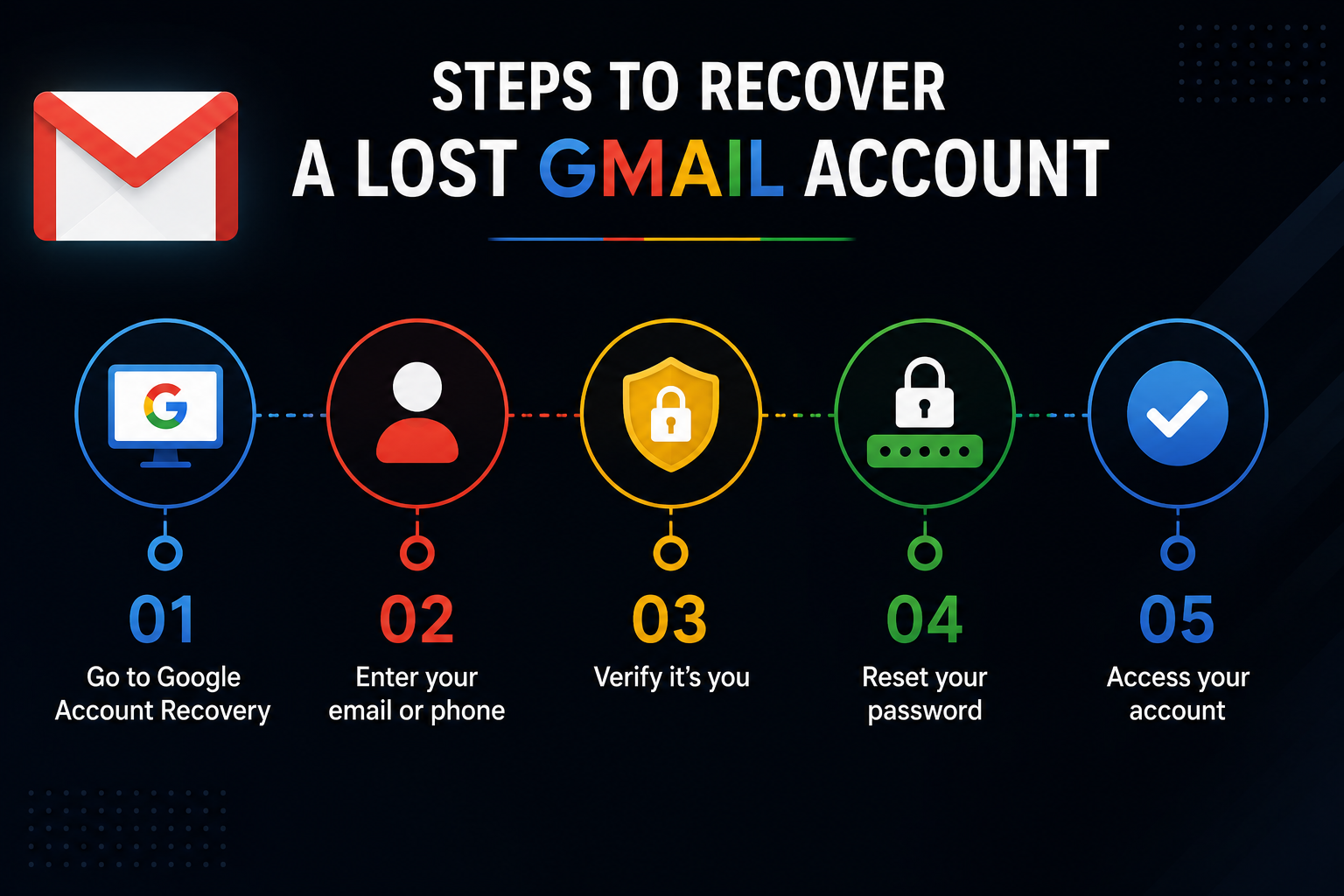
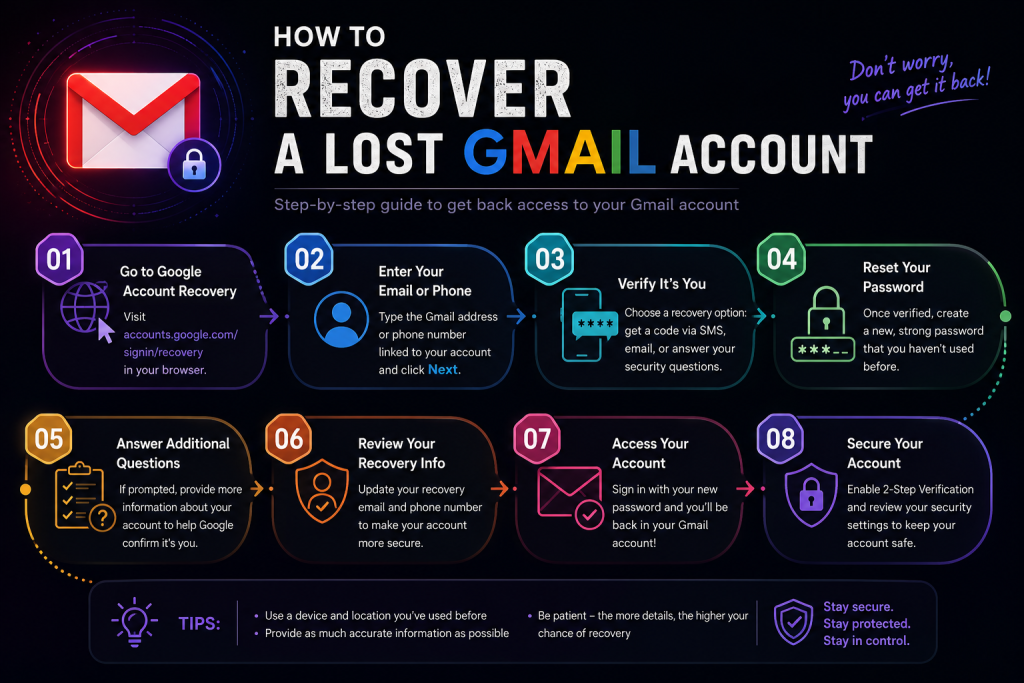
Step 1: Go to Google’s Account Recovery Page
Open your web browser and visit Google’s official Account Recovery Page. This is the safest and most reliable place to begin the recovery process
Enter the Gmail address you want to recover and click Next.
Tips: Always make sure you are using Google’s official recovery page. Avoid clicking recovery links from emails or messages, as scammers often create fake websites to steal login details.
Step 2: Enter the Last Password You Remember
Google may ask you to enter the most recent password you can remember—even if you know it is no longer correct.
Do not worry if it is not your current password. A previous password can still help Google confirm that you own the account.
If you genuinely can not remember any password, select “Try another way” to move on to other recovery options.
Step 3: Verify Your Identity
Depending on the information linked to your account, Google may ask you to verify your identity in one or more ways, such as:
- Sending a verification code to your recovery phone number.
- Sending a recovery link or code to your recovery email.
- Confirming a prompt on a device where you are already signed in.
- Answering additional security questions.
Complete whichever verification method is available to you.
Step 4: Create a New Password
Once Google confirms your identity, you will be asked to create a new password.
Choose one that is:
- Long and unique.
- Difficult to guess.
- Different from passwords you have used before.
A strong password should combine uppercase and lowercase letters, numbers, and symbols.
Step 5: Review Your Account Security
After successful signing in, do not stop there.
Take a few minutes to:
- Check that your recovery phone number is correct.
- Confirm your recovery email is up to date.
- Review Your recent login activity.
- Remove devices you no longer use.
- Change your password immediately if you suspect someone else had access to your account.
These simple checks can help prevent lockouts and improve your account’s security.
What If You No Longer Have Access to Your Recovery Phone or Email?
This is one of the most common situations people face, but it doesn’t always mean your account is gone.
If you have lost access to both your recovery phone number and recovery email, continue selecting “Try another way” whenever Google offers additional verification options.
Google may evaluate other signals, including:
- The device you usually use to sign in
- Your usual location
- Your browser history and login patterns.
- Previous passwords you have used.
Because of this, it is best to complete the recovery process from a device and Internet connection you have used before. Familiarity helps Google’s systems recognize that the recovery request is likely coming from the original account owner.
If you can not recover your account immediately, don’t panic. In some cases, Google may ask you to wait before trying again, especially if there have been multiple unsuccessful recovery attempts. Giving it some time and then trying again with more accurate information can improve your chances of success.
Common Gmail Recovery Mistakes to Avoid
Whey people lose access to their Gmail account, it is natural to feel frustrated or anxious. In that state, many users make mistakes that can delay or even reduce their chances of recovering the account successfully.
Avoid common pitfalls:
1. Creating a New Gmail Account Too Soon
It might seem like the easiest solution, but creating a new Gmail account will not help you recover the old one. If your original account is connected to online banking, social media platforms, cloud storage, work accounts, or important subscriptions, you could lose access to all of them.
Instead, exhaust Google’s recovery options before deciding to start over.
2. Guessing Your Password Repeatedly
Typing different passwords over and over can trigger Google’s security systems. Too many failed attempts may temporarily block Sign-in or require additional verification.
If you are unsure of the password, use the “Try another way” option instead of making endless guesses.
3. Using an Unfamiliar Device or Location
Google looks for signs that the recovery attempt is coming from the real account owner. Trying to recover your account from a new phone, a public computer, or a different country may make the process more difficult.
Whenever possible, use a device and Internet connection you have successfully used with the account before.
4. Falling for Fake Recovery Websites
Cybercriminals often create fake Google login pages that look almost identical to the real thing. They may send links through emails, text messages, or social media, hoping you will enter your Gmail address and password.
Always access Gmail recovery through Google’s official account recovery page, and be cautious of messages that create a false sense of urgency.
5. Ignoring Recovery Information
Many people never update their recovery phone number or email address after changing devices or switching mobile numbers. Then, when they needed to recover their account, the recovery options are no longer available.
It is a good habit to review your recovery information every few months to make sure it is still updated.
How to Secure Your Gmail Account After You Recover It
Getting your account back is only half the job. The next step is making sure you do not lose access again.
Here are few samples but effective ways to strengthen your account’s security:
Change Your Password Immediately
If your account was compromised or you are unsure how access was lost, create a brand-new password that you have never used before. Avoid predictable choices like birthdays, names, or simple number sequences.
Turn on Two-Step Verification
Two-step verification aids an extra layer of protection. Even if someone discovers your password, they will still need a second form of verification such as a code sent to your phone or generated by an authentication app before they can sign in.
Update Your Recovery Information
Check that your recovery phone number and recovery email address are correct. These are your safety net if you ever need to recover your account again.
Review Your Security Activity
Take a few minutes to look through your recent sign-in history. If you notice unfamiliar devices or locations, sign them out immediately and change your password.
Beware of Phishing Attempts
Never enter your Gmail credentials after clicking suspicious links in emails or text messages. When in doubt, type Google’s website address directly into your browser instead of following a link.
A Final Thought
We often think Gmail as just another email service, but in reality, it is the gateway to much of our world. From work and school to banking, cloud storage, shopping, social media, one account connects it all.
That is why losing access can feel overwhelming. But with the right approach and a little patience, it is often possible to get back in.
More importantly, do not wait until you are locked out to think about account security. Keeping your recovery information up to date, using a strong password, and enabling two-step verification are simple habits that can make a huge difference.
Your Gmail account is not just where messages arrive. It is one of the most valuable digital assets you own. Treat it with the same care you would give anything else that is very important.