
Protect Yourself From Fake Apps
Have you ever searched for an app only to find several versions that look almost identical? Maybe they use the same logo, a similar name, or promise the exact features that you are looking for. At first glance, it is easy to assume they are all valid—but appearances can be receiving.
Fake apps have become a growing problem in the digital world. Cybercriminals create apps that imitate popular ones to trick people into downloading them. While some fake apps are simply filled with frustrating ads, others are much more unsafe. They can steal personal information, collect passwords, track your activity, or even install malware on your device.
The good thing is that you don’t need to be a tech expert to protect yourself. By paying attention to a few important details before tapping the install button, you an greatly reduce your chances of downloading a fake app.
In this guide, you will learn how to identify fake apps, understand the risks the pose, and discover simple tips to install apps safely.
What Are Fake Apps?
Fake apps are applications designed to look like genuine ones. They often copy the name, logo, screenshots, and even the description of well known apps to convince users they are downloading the real thing.
Some fake apps don’t work at all, while others contain fraudulent software that can harm your device or steal sensitive information. In some cases, fake apps are created to display excessive advertisements or trick users into paying for features that don’t exist.
Because these apps can look very convincing, it is important to verify an app before installing it.
Why Are Fake Apps Dangerous?
Downloading a fake app can lead to several problems, including:
- Theft of usernames and passwords.
- Unauthorized access to your personal information.
- Financial fraud if banking or payment details or stolen.
- Malware infections that slow down or damage your device.
- Excessive advertisements and unwanted pop-ups.
- Poor device performance and battery drain.
In some cases, a fake app may appear to work normally while secretly collecting your data in the background.
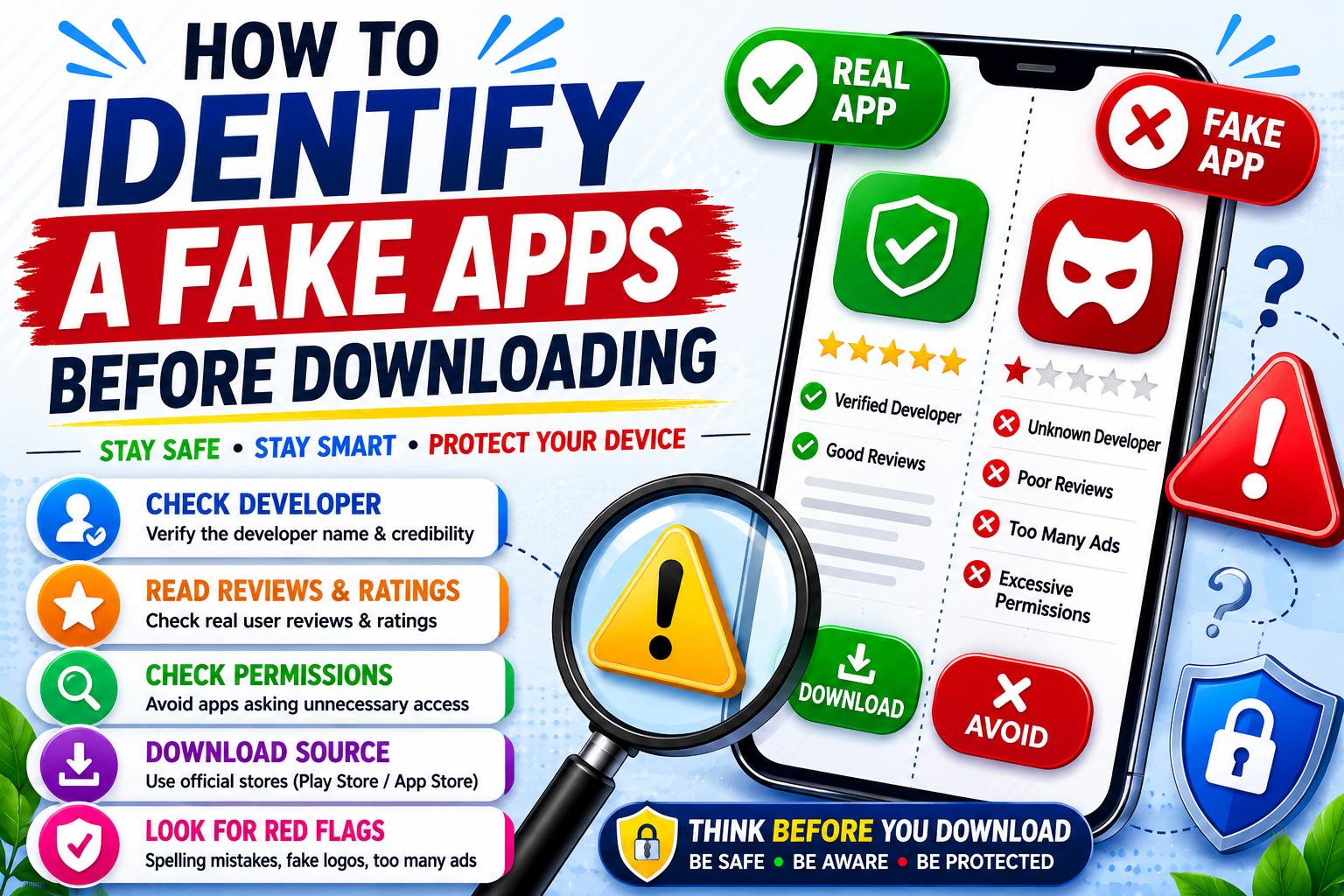
1. Check the Developer’s Name
One of the easiest way to identify a fake app is by looking at the developer.
Popular app are published by their official companies or developers. Fake apps often use names that are similar but not exactly the same.
For example, if you are downloading a popular messaging or social media app, take a moment to verify that the developer matches the official company behind the app.
Even a small spelling difference should make you pause and inspect further.
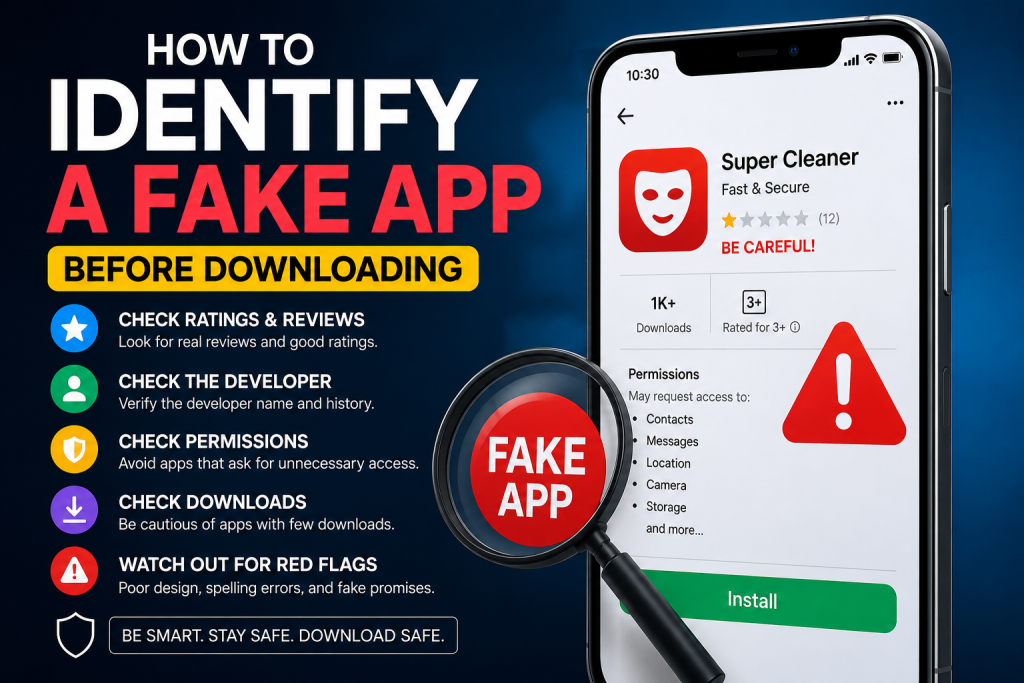
2. Read User Reviews Carefully
Many people skip reviews and head straight to the download button, but reviews can reveal valuable information.
Look beyond the overall star rating and read some of the recent comments
Watch out for reviews mentioning problems such as:
- Frequent crashes
- Too many advertisements
- Requests for unusual permissions
- Poor performance
- Suspicious behavior after installation
Also be cautious if the reviews seem repetitive, overly positive, or appear to have been written by bots. Genuine reviews usually include specific experiences, both good and bad.
3. Check the Number of Downloads
The number of downloads can also help you Judge whether an app is trustworthy.
Well known apps usually have millions of downloads. If you find an app claiming to be a popular service but it has only a few hundred or a few thousand downloads, that’s a sign of to examine more carefully.
While new apps naturally have fewer downloads, an app pretending to be an established brand should have a large user base.
4. Look for Poor Grammer and Spelling Mistakes
Professional developers usually take time to write clear and published app descriptions.
Fake apps normally contain spelling mistakes, awkward sentences, poor grammar, or descriptions that seem rushed.
If the app’s title or descriptions contains obvious errors, it is worth being cautious. Although mistakes don’t always mean an app is fake, they can be an indication that the developer is not legal.
5. Examine the Screenshots
Screenshots give you a preview of what the app looks like.
Take a close look at them.
Do they appear professional and consistent? Or do they look blurry, poorly edited, or unrelated to the app purpose?
Low-quality screenshots, inconsistent designs, or image copied from other sources can all be warning signs that the app is not genuine.
6. Review the Permissions it Requests
Every app needs certain permissions to perform its intended functions.
For example:
- A camera app needs access to your camera.
- A navigation app needs your location.
- A messaging app may need access to your contacts.
However, if a simple flashlight app asks for access to your contacts, microphone, messages, or location without clear reason, you should think twice before installing it.
Always ask yourself whether the requested permissions make sense for the app’s purpose.
7. Download Apps Only from Trusted App Stores
One of the easiest way to avoid fake apps is to download them from trusted app stores.
Official app stores have security measures in place to detect and remove deceptive apps. While no platform is perfect, downloading from official sources is much safer than installing apps from unknown websites or third-party stores.
If an app is not available in your device official app store, think carefully before downloading it from another source. Unless you completely trust the developer, it is best to avoid installing apps from unofficial websites.
8. Check When the App Was Last Updated
A legitimate app is usually updated to fix bugs, improve performance, and add new features.
Before downloading an app, look at its update history. If it has not been updated in several years, it may no longer be supported or maintained.
Frequent updates often show that the developer is actively improving the app and responding to security issues.
9. Visit the Developer’s Official Website
Many trusted developers have an official website where you can learn more about their apps.
If you are unsure whether an app is real, visit the Developer’s website and look for a direct link to the official app. This helps confirm that you are downloading the correct version.
A professional website with clear contact information and product details can also increase your confidence in the developer.
10. Be Careful with Apps That Promise Too Much
If an app makes unbelievable promises, it is worth being skeptical.
For example, be cautious of apps that claim they can:
- Hack social media accounts.
- Instantly boost your phone’s performance.
- Give you unlimited free premium subscriptions.
- Generate unlimited in-game currency.
- Unlock paid features without permission.
If something sounds too good to be true, it probably is.
11. Use Mobile Security Software
Installing a trusted mobile security or antivirus app adds another layer of protection.
These tools can scan apps for suspicious behavior, warn you about potential threats, and help detect malware before it causes damage.
While they are not a replacement for careful downloading habits, they can provide valuable peace of mind.
What to Do If You Have Already Downloaded a Fake App.
If you suspect you have installed a fake app, act quickly.
First, disconnect your device from the Internet if you believe your information may be at risk.
Next, uninstall the app immediately. After removing it , run a security scan using a trusted mobile security app.
It is also a good idea to change the passwords for important accounts, especially if you entered your login details into the app. If you notice any unusual activity on your bank account or online services, contact the relevant provider as soon as possible.
Finally, keep an eye on your device over the next few days. If you continue to notice strange behavior, consider resetting your device after backing up important files
Best Practices for Safe App Downloads
Whenever you install a new app, remember these simple habits:
- Download apps only from trusted sources.
- Verify the developer’s name.
- Read recent user reviews.
- Check the number of downloads.
- Review the Permissions carefully.
- Keep your phone and apps updated.
- Avoid clicking on suspicious download links.
- Delete apps you no longer use.
Following these steps only takes a few minutes but can save you from major security problems later.
Conclusion
Apps make our smartphones more useful, helping us communicate, work, learn, shop, and stay entertained. However, not every app you come across is safe.
By taking a few moments to check the developer, read reviews, review permissions, and download only from trusted sources, you can greatly reduce your risk of installing a fake app.
Staying alert is one of the best forms of digital security. The next time you are about to download an app, don’t focus only on it’s name and icon. Take a closer look, do a little research, make sure you are installing the real thing.
A few extra minutes of caution today can protect your personal information, your money, and your device from unnecessary risk in the future.